
In 2026, there are two internets: one for humans (visual) and one for machines (data).
If you are still optimizing exclusively for the ten blue links, you are underserving the fastest-growing traffic source on the web: AI-generated answers in ChatGPT (SearchGPT), Perplexity, Google Gemini, and Claude.
The shift is no longer theoretical. As of March 2026, ChatGPT receives over 1 billion monthly searches. Perplexity has surpassed 100 million monthly active users. Google AI Overviews now appear in over 65% of informational queries. Businesses that do not structure their websites for machine readability are leaving a growing share of discovery on the table.
History is repeating itself. In 2010, businesses that ignored mobile responsiveness fell behind. In 2026, businesses that ignore Generative Engine Optimization (GEO) are seeing the same pattern.
Best GEO Plugin for WordPress (Short Answer)
If your goal is AI visibility specifically (citations in ChatGPT, Perplexity, Gemini, and Claude), the strongest GEO-focused option in this comparison is LovedByAI. If your main goal is traditional SEO workflows, Rank Math and Yoast are still excellent.
The best stack for most WordPress sites in 2026 is:
- One traditional SEO plugin for technical SEO hygiene
- One GEO layer for AI-crawler readability and citation structure
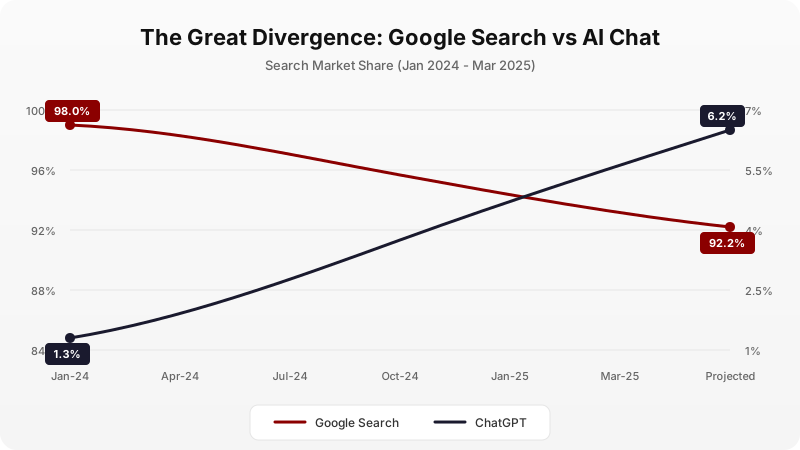
Data: Wells Fargo, SimilarWeb, SensorTower. Google's search share dropped from 98% (Jan 2024) to 92.2% (Mar 2025). ChatGPT usage climbed from 1.3% to 6.2% in the same period.
Standard SEO (optimizing for 10 blue links) is mature and increasingly competitive. GEO (Generative Engine Optimization) (optimizing for the direct AI-generated answer) is where the competition is moving next.
This guide is a data-backed review of 5 plugins relevant to the March 2026 search landscape. Four are the most widely-used SEO plugins on WordPress.org. The fifth, LovedByAI, is purpose-built for AI visibility. The analysis focuses on Inference-based discovery: the process where an AI reads your website, understands your business, and reconstructs that understanding as a direct answer for a user.
Quick Verdict
For SEO
Rank Math and Yoast remain excellent choices for meta tags, sitemaps, and on-page keyword analysis.
For AI Visibility
LovedByAI is the only plugin with active LLM-rendering infrastructure designed for ChatGPT and Gemini.
Best Strategy
Use both. Keep your SEO plugin for technical hygiene; add LovedByAI for AI-specific optimizations.
How We Ranked These GEO Plugins
We scored each plugin across five criteria that directly affect AI visibility, not just classic SEO:
- AI crawler readability (can models parse the page cleanly)
- Structured data depth (FAQ, Entity, Organization, Service, and consistency)
- Citation readiness (clarity of business facts for LLM answer generation)
- Implementation speed for non-technical teams
- Ongoing maintenance burden after setup
This framework prioritizes outcomes that matter for ChatGPT, Perplexity, and Gemini recommendations, not only Google blue-link rankings.
What is GEO (Generative Engine Optimization)?
GEO is the process of optimizing website content to improve visibility and citations in AI-generated responses from engines like ChatGPT, Perplexity, and Google Gemini. Unlike standard SEO, which focuses on ranking links in a list, GEO focuses on structuring data and establishing entity authority so that AI models can confidently construct answers based on your content.
For a deeper technical breakdown, see the complete GEO playbook for WordPress.
How GEO Differs from SEO
Aspect | SEO | GEO |
|---|---|---|
| Goal | Rank a link | Be cited as "the answer" |
Primary Consumer | Human eyes | AI parsers (RAG systems) |
| Key Metric | Click-Through Rate (CTR) | Share of Model / Citation Rate |
| Core Tactic | Keywords & Backlinks | Entity Schema & Clean Data |
The shift is significant. According to a Gartner study, search engine volume is projected to drop 25% by 2026 as users shift to AI-first interfaces.
The Best 5 GEO Plugins Comparison Table
The following table compares the top WordPress SEO plugins by their ability to serve Generative Engines. The focus is on architecture: how well does each plugin present your data to a Non-Human User Agent?
Plugin | Architecture | Primary Discovery Focus | GEO Score |
|---|---|---|---|
| LovedByAI | Active (LLM-View) | Synthesis & Citations | ★★★★★ |
| Rank Math | Passive (Standard) | Link Indexing (Clicks) | ★★★★ |
| Yoast SEO | Passive (Legacy) | Link Indexing (Clicks) | ★★★ |
| AIOSEO | Passive (Standard) | Local Maps & Indexing | ★★★ |
| Squirrly | Passive (Assistant) | Link Indexing (Clicks) | ★★★ |
Best Answer Engine Optimization Plugins for WordPress (AEO)
If you are searching for the best Answer Engine Optimization plugin for WordPress, this same list applies. In practice, AEO and GEO overlap heavily in implementation: structured data quality, machine-readable page structure, entity clarity, and fast crawlable outputs.
For most WordPress teams, the practical split is simple:
- Use a traditional SEO plugin for metadata, sitemaps, and technical hygiene.
- Use a GEO/AEO layer for AI citation readiness and machine-first rendering.
What "Active" vs "Passive" Means
A "Passive" architecture means the plugin modifies your existing HTML (adds meta tags, injects Schema). The AI bot still has to parse your messy theme code.
An "Active" architecture means the plugin can serve an entirely different, optimized version of your page to AI crawlers. This is similar to how Google's Dynamic Rendering works for JavaScript-heavy sites.
What Are the Best GEO Plugins in 2026?
#1. LovedByAI: The GEO-First Plugin

LovedByAI
Built specifically for AI search visibility
Price
Free / Pro from $39/mo
Best For
Visibility in ChatGPT, Perplexity, Gemini
WordPress.org
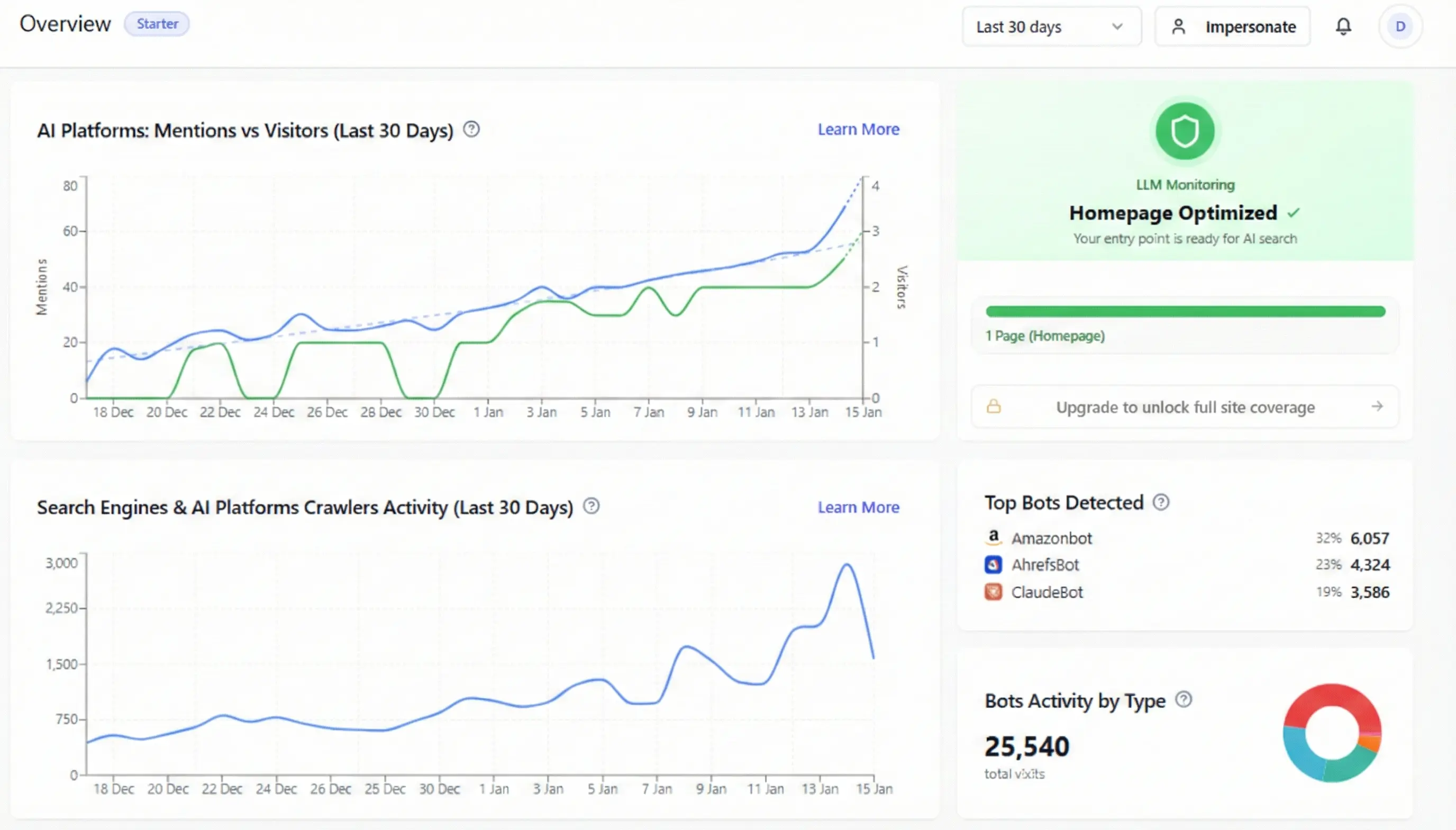
LovedByAI is not a general-purpose SEO plugin. It does not compete with Rank Math or Yoast on standard SEO tasks like keyword tracking or 404 monitoring. Its focus is narrow: make your site readable by Large Language Models.
How the LLM-View Works
Most WordPress themes are built for visual appeal, not data density. When a bot like GPTBot or Google-Extended visits, it has to wade through megabytes of JavaScript sliders, pop-ups, and tracking pixels just to find out what a business sells.
LovedByAI addresses this by creating a parallel version of each page, optimized specifically for machine consumption. This version is hosted on a global CDN and served only to AI crawlers. It is not "stripping" content; it is re-presenting the same information in a cleaner, more structured format.
What the optimized version includes
- Natural language reformatting of content into Q&A pairs and logical headers.
- Auto-generated FAQ Schema based on page content.
- Entity grounding via JSON-LD that links the business to trusted identifiers (Wikidata, Crunchbase) to reduce AI "hallucinations."
- Automatic llms.txt generation.
Is This Cloaking?
No. Content Negotiation (serving different formats to different user agents) is a standard web practice. It is the same logic used when serving mobile-responsive CSS to phones, ARIA labels to screen readers, or pre-rendered HTML to Googlebot for JavaScript-heavy sites. Google's own documentation supports this approach for improving crawl efficiency. Enterprise A/B testing tools like VWO operate on the same principle.
What LovedByAI Does Not Do
It does not manage sitemaps. It does not offer keyword research tools. It does not track 404 errors. For those tasks, an SEO plugin is still necessary. LovedByAI is designed to work alongside Rank Math, Yoast, or AIOSEO, not replace them.
#2. Rank Math: The All-in-One Workhorse
Rank Math
The power user's choice
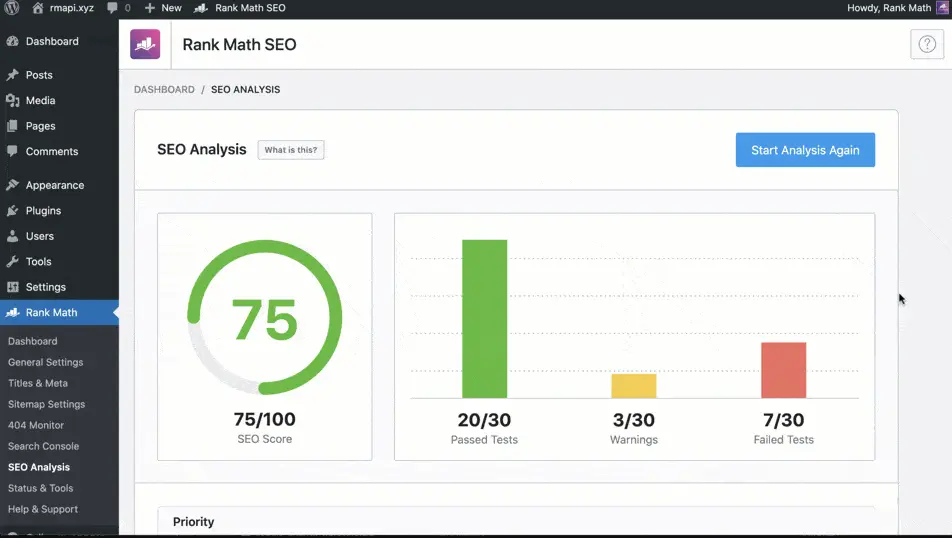
Rank Math dethroned Yoast as the "default" SEO plugin for many WordPress users around 2020-2021. It offers a genuinely impressive feature set for free.
Strengths
Modular Architecture
Rank Math allows users to disable features they don't use. This keeps the plugin lightweight. A blogger doesn't need WooCommerce SEO; a shop doesn't need the news sitemap. This modularity is a significant advantage over plugins that force all features on all users.
404 Monitor and Redirections
The built-in 404 monitor tracks broken links. The redirection manager is best-in-class for a free tool, allowing easy setup of 301, 302, and 307 redirects without needing a separate plugin like Redirection.
Schema Markup
Rank Math offers Schema support for 20+ content types (Article, Product, Recipe, LocalBusiness, etc.) directly in the Gutenberg editor. This is more accessible than manually writing JSON-LD but less comprehensive than a dedicated Schema plugin like Schema Pro.
Content AI (Writing Assistant)
The "Content AI" feature uses AI to analyze top-ranking pages and suggest keywords, questions to answer, and content length. This is useful for content planning.
The GEO Gap
Rank Math's AI features focus on helping users write content. They do not address the infrastructure problem: how does an AI crawler parse your theme?
The Topic Authority system Google uses in 2026 does not count keyword density; it maps vector distance between entities. Rank Math optimizes for the older BM25-style algorithm. It does not generate llms.txt, does not offer dynamic rendering for AI bots, and does not provide entity grounding to external knowledge bases.
Verdict
An essential tool for technical site hygiene. For AI-specific optimization, it needs to be paired with a GEO tool.
#3. Yoast SEO: The Industry Standard

Yoast SEO
The original WordPress SEO plugin
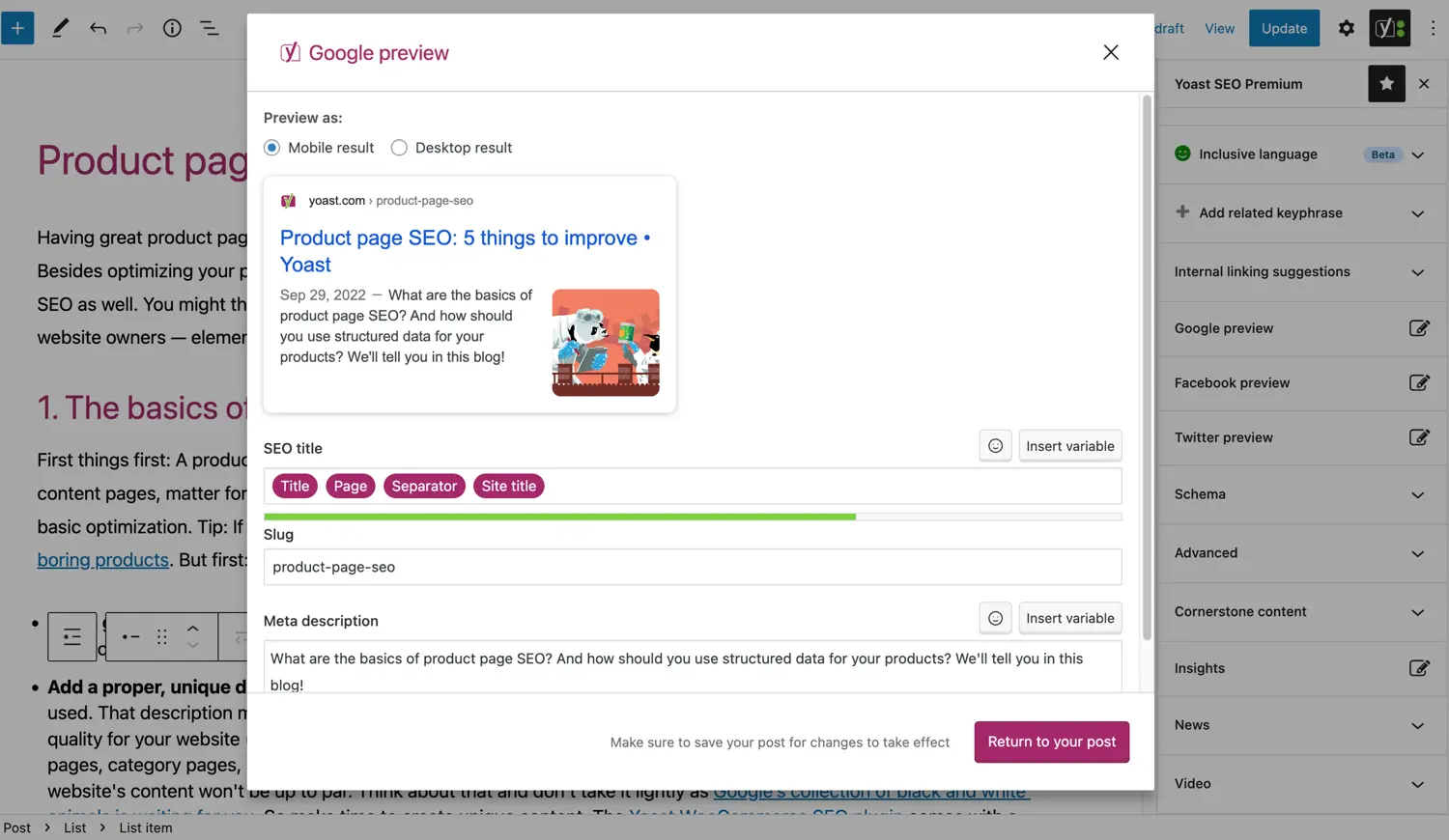
Yoast is the original WordPress SEO plugin. It introduced millions of users to concepts like focus keywords, meta descriptions, and readability scores. It remains one of the most downloaded plugins on WordPress.org with over 5 million active installations.
Strengths
Readability Analysis
Yoast's traffic-light system (green, orange, red) for readability is famous. It checks sentence length, passive voice usage, and paragraph structure. For large editorial teams managing multiple writers, this enforces a baseline content standard.
Internal Linking Suggestions (Premium)
Yoast Premium suggests internal links as you write. This is valuable for building topic clusters and improving site architecture.
IndexNow Integration
Yoast integrates with IndexNow, the protocol supported by Bing and Yandex for instant indexing of new or updated content.
Social Previews
The plugin shows how content will appear when shared on Facebook and Twitter, allowing users to customize Open Graph metadata.
The GEO Gap
Yoast is conservative. The development team has historically prioritized stability over rapid feature releases. This is a strength for enterprise users but a weakness in a fast-moving space like GEO.
Yoast does not offer:
- Dynamic content negotiation for AI crawlers.
- Automatic
llms.txtgeneration. - Entity linking to Wikidata or other knowledge graphs.
The Schema markup options are limited compared to Rank Math. Yoast focuses on Article and Organization schema but lacks granular control for LocalBusiness, Service, or Product types without the premium add-ons.
Verdict
Reliable, stable, and excellent for readability. For AI visibility, supplementation is required.
#4. AIOSEO: The Local Business Specialist

AIOSEO
All in One SEO for local businesses
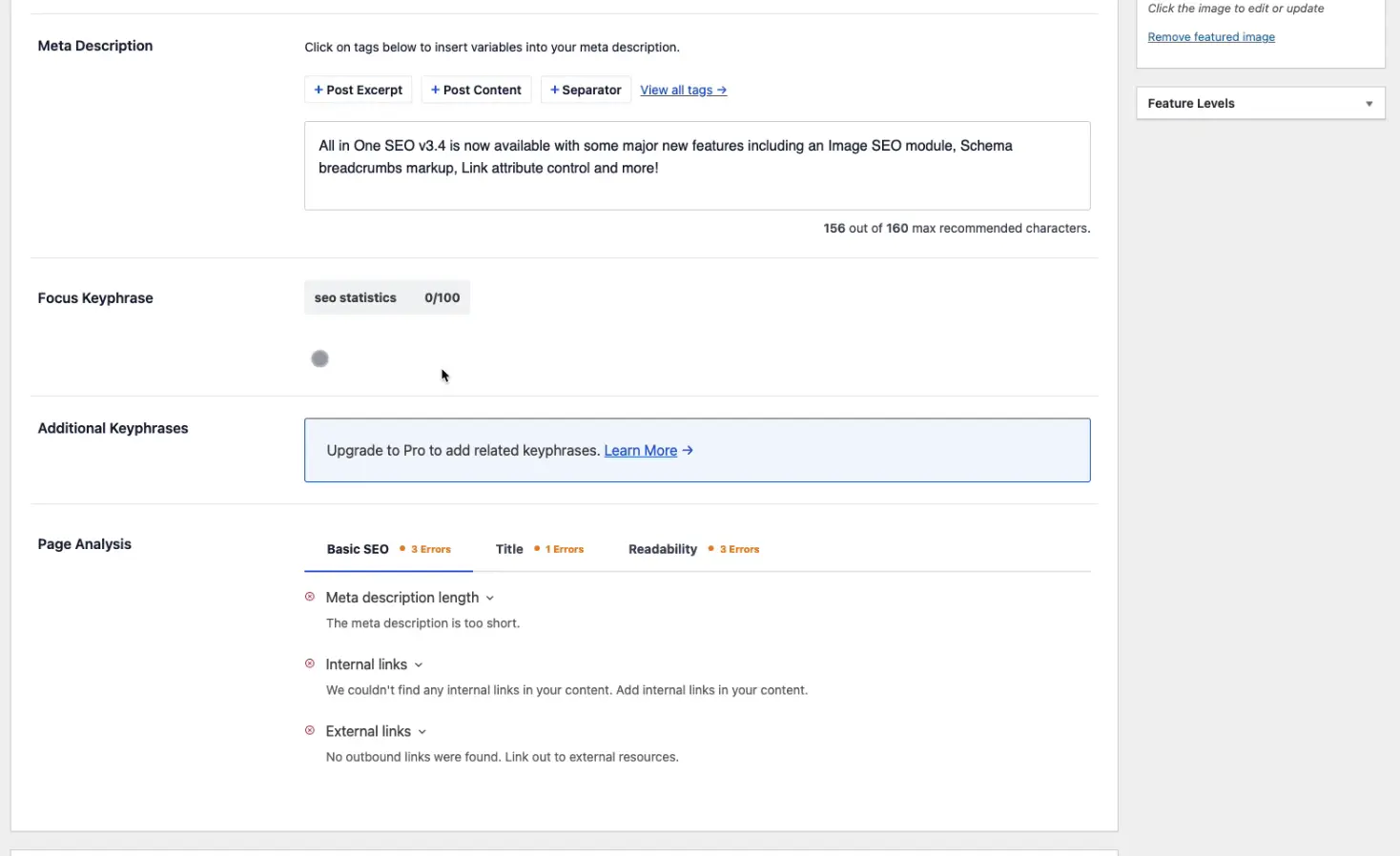
AIOSEO (formerly All in One SEO Pack) is one of the oldest WordPress SEO plugins, originally released in 2007. It has evolved significantly and now offers a strong feature set, particularly for local businesses.
Strengths
Local SEO Module
AIOSEO's Local SEO add-on is its standout feature. It supports multiple locations, integrates with Google Business Profile, and generates LocalBusiness Schema with opening hours, service areas, and business attributes.
Setup Wizard
The onboarding wizard is one of the best in the industry. It asks about your business type and goals, then configures settings automatically. This is helpful for non-technical users.
Image SEO
AIOSEO can automatically add alt text and title attributes to images based on configurable templates. This is a time-saver for sites with large media libraries.
WooCommerce Integration
The plugin integrates deeply with WooCommerce, adding Product Schema, Open Graph tags for products, and XML sitemaps for product categories.
The GEO Gap
AIOSEO operates on the same fundamental model as Yoast and Rank Math: it modifies your HTML to be better understood by search crawlers. It does not serve alternate versions to AI bots.
When a user asks Gemini, "Who is the best plumber in Miami and why?", the AI needs to understand reputation, specialties, and entity relationships. AIOSEO helps with the "who" (LocalBusiness Schema) but not the "why." It does not structure reasoning data (reviews linked to entities, service outcomes, differentiators) in a way that LLMs can easily process for answer generation.
Verdict
Excellent for local SEO and Google Maps visibility. For AI chat interfaces, the depth of structured data is insufficient.
#5. Squirrly SEO: The Coaching Approach

Squirrly SEO
Guided SEO with gamification
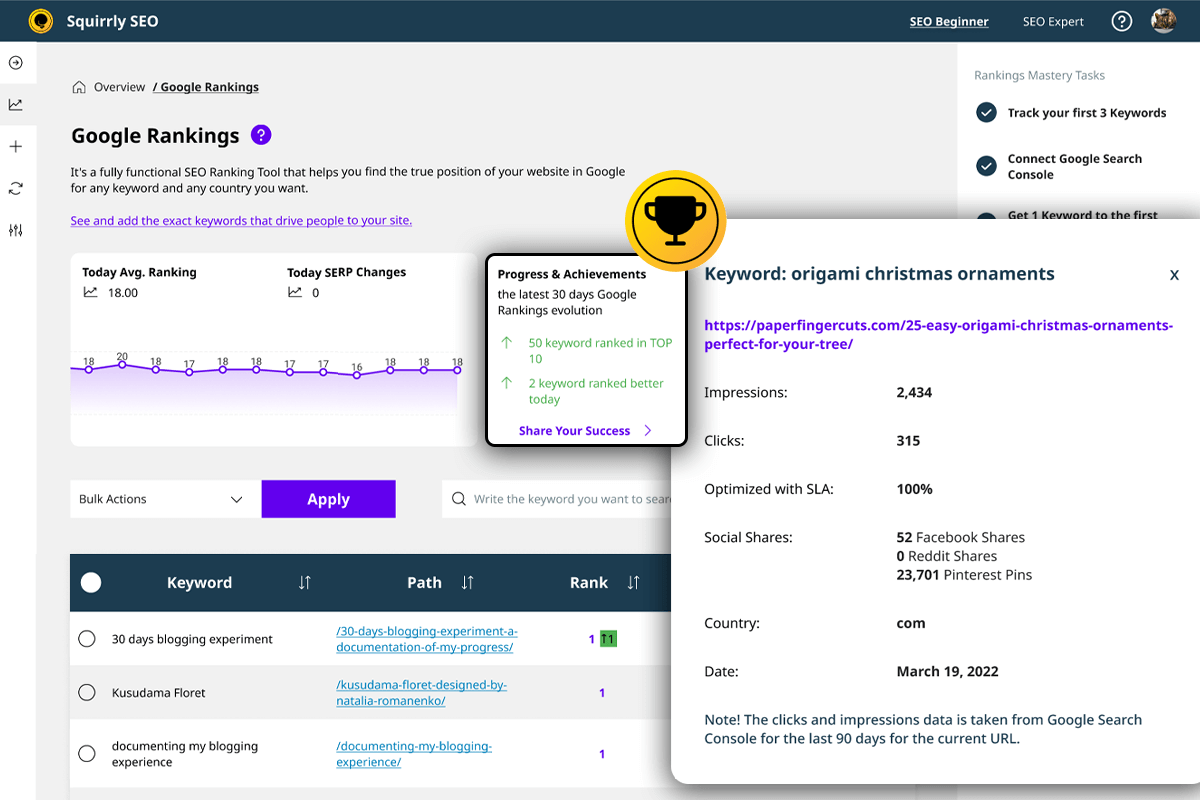
Squirrly takes a different approach than the other plugins. Rather than offering a toolbox, it offers a guided path. The "Focus Pages" feature gamifies SEO, giving users daily tasks to improve a specific page's ranking. It feels less like software and more like having a consultant.
Strengths
Focus Pages
This is Squirrly's flagship feature. Users designate a page as a "Focus Page," and Squirrly tracks its ranking for a target keyword, provides a checklist of optimization tasks, and monitors progress over time. The gamification (stars, progress bars) motivates non-SEO users.
Keyword Research
Squirrly's keyword research tool pulls data from Google Trends, competition analysis, and search volume estimates. It presents opportunities in an accessible way.
Content Audit
The "SEO Audit" feature scans pages and provides a score with specific recommendations (add alt text, improve heading structure, etc.).
Blogging Assistant
The real-time Live Assistant shows SEO feedback as you write in the WordPress editor. Green lights appear as you hit targets for keyword usage, content length, and image optimization.
The GEO Gap
Squirrly is a "Do It Yourself" tool. It tells users what to fix. In the context of GEO, this creates a bottleneck: the business owner becomes the constraint.
The plugin provides recommendations; it does not execute them automatically. It does not generate alternate page versions for AI crawlers. It does not auto-generate Schema beyond basic article markup. The "AI" in Squirrly is a writing assistant, not an infrastructure layer.
For a small business owner who lacks time to act on 47 SEO recommendations, a "Passive" coaching tool is less effective than an "Active" tool that handles optimizations automatically.
Verdict
Excellent for learning SEO fundamentals. High maintenance for ongoing GEO compliance.
The Technical Case for Content Negotiation
A recurring question about tools like LovedByAI is: "Is serving different content to bots safe?"
The answer is yes, when done correctly. This is called Content Negotiation, and it is a web standard defined in RFC 7231.
Cloaking vs. Content Negotiation
| Cloaking (Bad) | Content Negotiation (Good) |
|---|---|
| Shows different content to deceive | Shows different format to optimize |
| Example: Show Google a recipe, show users a casino | Example: Show Googlebot pre-rendered HTML, show users SPA |
| Violates Google Webmaster Guidelines | Supported by Google Dynamic Rendering docs |
Major platforms use Content Negotiation:
- Next.js and Nuxt.js use it for server-side rendering to bots.
- VWO uses it for A/B testing.
- Amazon uses it to serve lightweight pages to crawlers.
The principle: serve the same information in the best format for the consumer.
Implementation Roadmap for SMBs
For small business owners, here is a practical 3-step plan.
Step 1: Audit Machine Readability
Use the LovedByAI AI visibility checker to see how AI crawlers currently interpret your site.
Key questions:
- Can the AI identify your core service in the first 500 bytes?
- Is your pricing structured in machine-readable format?
- Are your business hours and location in LocalBusiness Schema?
Step 2: Implement Proper Schema
Basic Schema tells a search engine "This is a business." GEO Schema tells an AI "This Organization (with this Wikidata ID) offers these specific Services (linked to official definitions) in this geographic Area, and has this reputation."
For a step-by-step guide, see How to Implement JSON-LD in WordPress.
Step 3: Monitor Citations, Not Just Clicks
In SEO, success is measured by CTR (Click-Through Rate). In GEO, success is measured by "Share of Model": how often AI engines cite your content as the source.
Tools for monitoring:
- LovedByAI's citation tracking dashboard.
- Manual checks by asking ChatGPT and Perplexity questions about your industry.
- Google Search Console's Search features report for AI Overviews.
Conclusion: The Hybrid Strategy
The question is not "Rank Math vs. Yoast vs. AIOSEO." All three are competent SEO plugins. The question is: "Are you optimizing for 2016 Google or 2026 AI?"
The Recommended Stack
- For Technical SEO: Use Rank Math (best free feature set) or Yoast (most stable, best for large teams).
- For GEO: Add LovedByAI to handle AI-specific optimizations (
llms.txt, entity grounding, LLM-View rendering).
This hybrid approach provides:
- SEO coverage (sitemaps, redirects, meta tags).
- AI visibility coverage (structured data, clean machine-readable formats).
Final Thought
The businesses that will thrive in the next decade are the ones that give AI crawlers the same attention they give Googlebot. The plugins that will matter are the ones built for that reality.
Keep Reading
- Not on WordPress, or comparing beyond plugins? See the 11 best LLM SEO tools across every platform.
- Focused on one engine? Here are the top ChatGPT SEO tools compared in depth.
- Want the data first? Our LLM SEO guide breaks down what actually drives AI citations, based on 1,100+ real websites.
- Wondering if any of this moves the needle? We measured it: does GEO optimization actually work?
- Not sure where you stand? Run the free GEO checker and get your site's AI readiness score in about a minute.
