If you run a site behind Cloudflare, you probably got the email this week. If you skimmed it and moved on, I don't blame you, but you'll want to come back to it. On September 15, 2026, Cloudflare changes how it treats AI bots by default. Depending on how your zone is set up, that change can quietly cut your site off from ChatGPT, Claude, and Perplexity. In one specific case it can even trip up Googlebot.
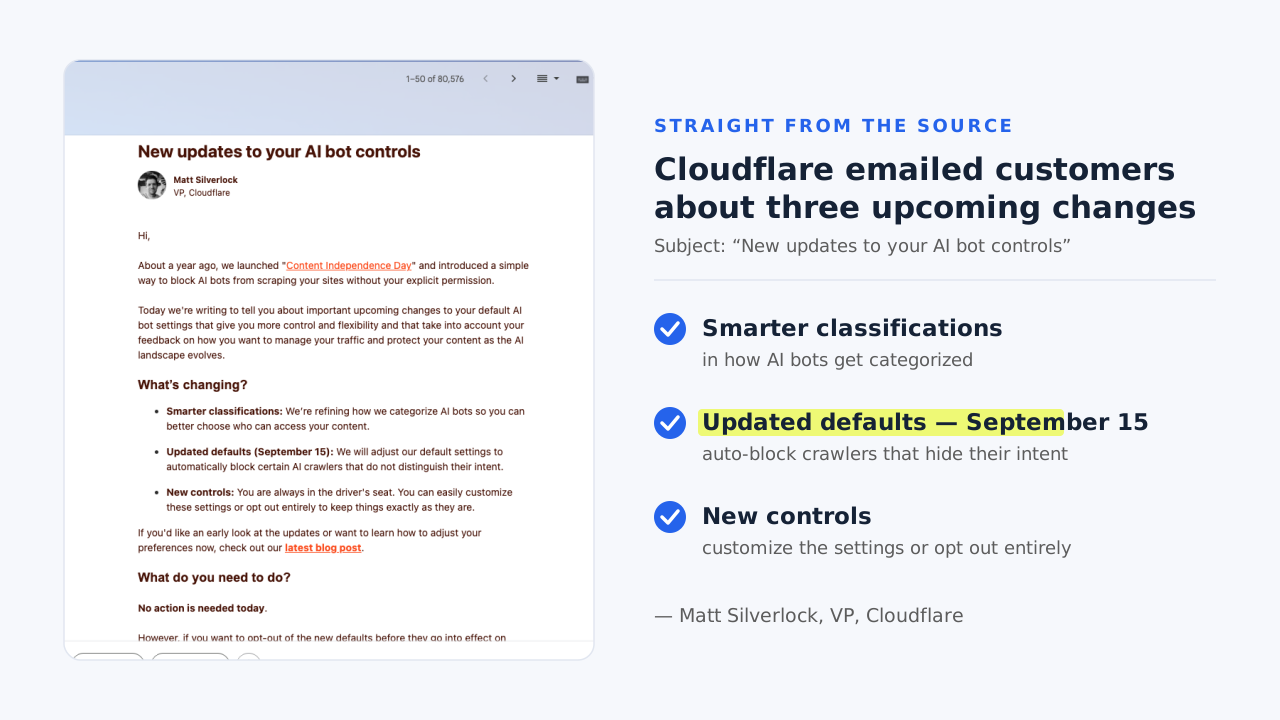
I spent a good part of this week reading the announcement, going through the updated docs, and clicking through the dashboards of the WordPress sites we manage at LovedByAI. What follows is what I wish that email had actually said.
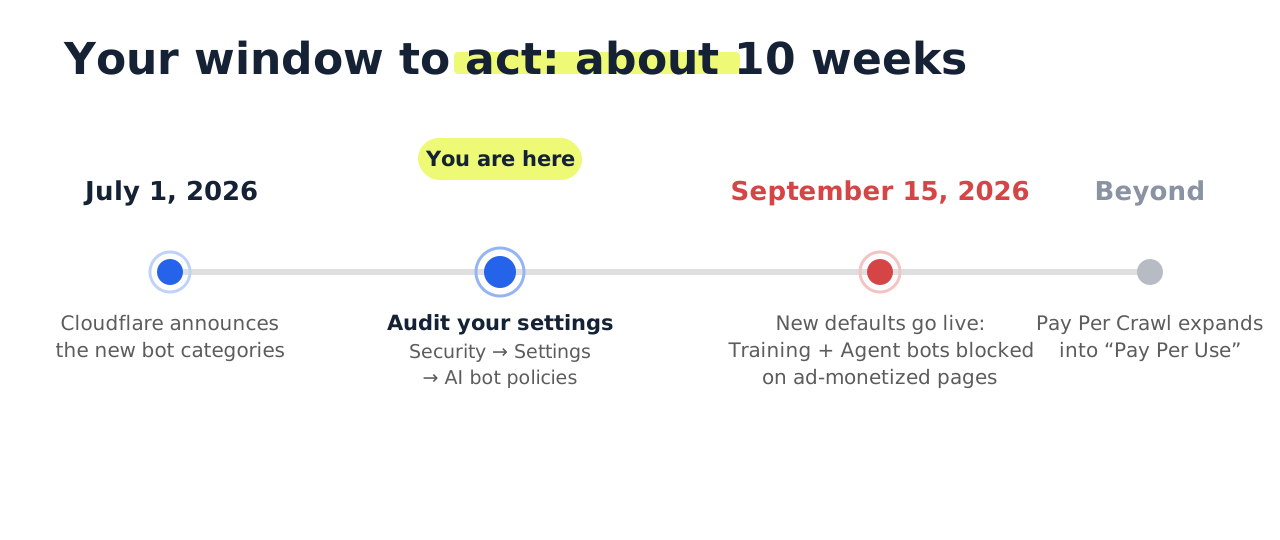
TL;DR: From September 15, 2026, Cloudflare sorts AI bots into three groups: Search, Agent, and Training. On pages that show ads, Training and Agent bots are blocked by default while Search bots stay allowed. The new defaults cover new domains, and they also catch any existing zone that never saved an explicit preference. Open Security → Settings → Configure AI bot policies and make a deliberate choice before the deadline. Doing nothing is still a decision, just not one you got to make.
What's actually changing
On July 1, Cloudflare announced it's retiring the old, blunt "Block AI bots" switch. In its place is a system that sorts crawlers by what they actually do with your content:
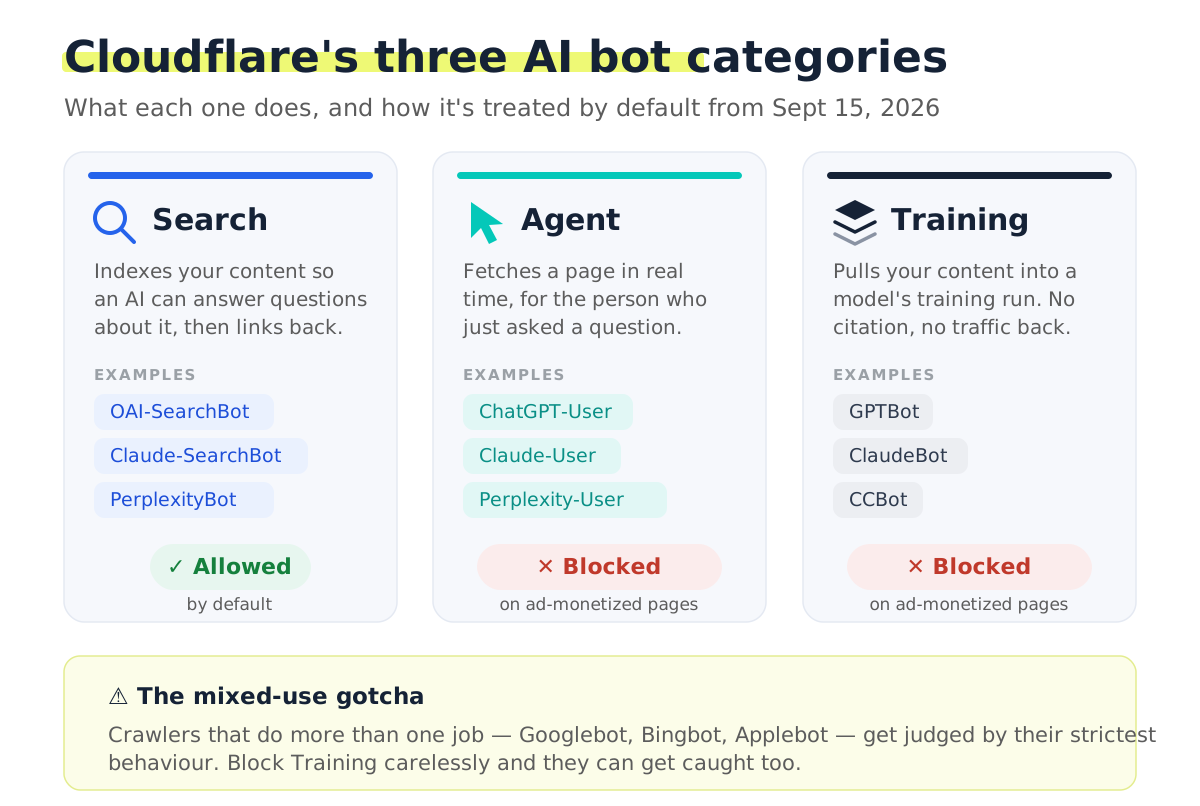
Here's how each group breaks down, in plain terms:
| Category | What it does | Cloudflare's default from Sept 15 |
|---|---|---|
| Search | Collects and indexes your content so an AI can answer questions about it later, with citations and referral traffic as the trade | Allowed |
| Agent | Acts in real time for a specific person: fetches your page the moment they ask a question you could answer | Blocked on ad-monetized pages |
| Training | Pulls your content into a model's training run. Your data goes in and nothing comes back | Blocked on ad-monetized pages |
That distinction is the whole point, because the three behaviors trade very differently. Search and Agent traffic can put your site in front of a real person. A training crawl, on its own, never does.
Why single out pages with ads? Cloudflare reads an ad as a signal that a page was built for human eyeballs. In their words, "an ad is a signal that a website owner meant for a person to land there and see it, something monetizable that fuels the business." Detection is automatic, so you don't tag anything yourself.
Who's affected (probably more people than you'd guess)
Three groups, ordered by how urgently you should check:
- New domains onboarding to Cloudflare after September 15. They inherit the new defaults on day one: Search allowed, Training and Agent blocked wherever ads appear.
- Existing zones that never set an AI-bot preference. Cloudflare's docs say existing customers can opt out before the deadline. Read that the other way and it means the new defaults apply to you too if you don't record a choice. This is the group most likely to get a nasty surprise in October.
- Anyone who clicked the old "Block AI bots" toggle at some point. That legacy setting doesn't map cleanly onto the new categories (it left out mixed-purpose bots entirely). Redo your choice in the new interface rather than trusting the migration to guess your intent.
If you run client sites, multiply all of this by every zone in every account. An agency with 40 WordPress sites sitting on Cloudflare free plans has 40 separate decisions being made on its behalf come September 15.
The mixed-use crawler trap (worth reading twice)
This part of the announcement deserves far more attention than it's getting.
Some crawlers wear more than one hat. Googlebot feeds Google Search and Google's AI features. Bingbot feeds Bing and Copilot. Applebot indexes for Siri and Spotlight while also contributing to Apple's model training. Cloudflare's stated rule for these mixed-use crawlers is that they get judged on all of their behaviors at once, so the strictest setting you've applied is the one that wins.
Follow that logic forward. Say your zone is set to block Training. A crawler that does Search and Training can now get swept up by the Training block. That's not just a hit to your AI visibility. That's your ordinary Google ranking on the line.
Cloudflare knows this is touchy, and the exact handling may still get refined before September 15 (the announcement is only a couple of weeks old as I write this). Either way, the safe play doesn't depend on how it lands:
Rule of thumb: never let category defaults decide the fate of crawlers you can't afford to lose. Write explicit per-bot rules for Googlebot, Bingbot, and Applebot, then let the category policy manage the long tail. Once the switch flips, check your logs for 403s hitting any of the three (the steps are below).
How to check your settings today
The whole audit runs about five minutes per zone.
Step 1. Open the AI bot policy screen. In the Cloudflare dashboard, head to Security → Settings → Configure AI bot policies. If you still see the legacy Block AI bots toggle, it lives on the same Security Settings page.
Step 2. Read what's set for each category. For Search, Agent, and Training you'll see one of three states:
- Block stops the bot on every page in the zone.
- Block on pages with ads stops it only where Cloudflare detects ad units.
- Allow applies no blocking at all.
Step 3. Choose deliberately for each one. The specific option matters less than the fact that you chose it, so the September 15 migration has nothing left to decide. For most business sites, I'd start here:
| Category | Recommended setting | Why |
|---|---|---|
| Search | Allow | This is what puts you in AI search answers at all |
| Agent | Allow | This is how ChatGPT and Claude cite you inside live conversations |
| Training | Your call | Blocking it costs you nothing visible; allowing it is a values decision. Set explicit exceptions for mixed-use crawlers first |
If your site earns real ad revenue and you see AI companies as free-riders, flip Agent and Training to block and you've given up nothing you were actually monetizing. But if you're a business that wants AI assistants to recommend you, and most of the sites we work with are, blocking Agent bots is a bit like unplugging your phone because telemarketers exist. The bot-by-bot list, with robots.txt, is in the next section.
Step 4. Drop a reminder in your calendar for September 16. Whatever you set, confirm it survived the switchover. Defaults migrations have a long, proud history of catching people off guard.
Which AI bots to allow and block after Cloudflare's September 15 change
"We blocked the AI bots" is the sentence to be careful with, because each vendor runs separate crawlers for separate jobs. One trains models, one builds the search index the assistant answers from, and one fetches a page live when a user asks. Block all of them with one rule and you give up citations without protecting anything you were trying to protect.

This is the setup we recommend for a business that wants AI assistants to recommend it while opting out of model training. Vendor descriptions come from OpenAI's crawler documentation, Anthropic's crawler help page and Perplexity's bot guide.
| Bot | Vendor | Cloudflare category | What it does | Verdict |
|---|---|---|---|---|
| OAI-SearchBot | OpenAI | Search | Builds the index behind ChatGPT search | Allow |
| ChatGPT-User | OpenAI | Agent | Fetches a page live when a user's question needs it | Allow |
| GPTBot | OpenAI | Training | Collects training data; OpenAI says it does not affect ChatGPT search results or citations | Your call |
| Claude-SearchBot | Anthropic | Search | Indexes pages for Claude's search results | Allow |
| Claude-User | Anthropic | Agent | Fetches a page when a user asks Claude | Allow |
| ClaudeBot | Anthropic | Training | Collects training data | Your call |
| PerplexityBot | Perplexity | Search | Indexes pages for Perplexity answers; Perplexity says it is not used to train foundation models | Allow |
| Perplexity-User | Perplexity | Agent | Visits pages for user-initiated questions | Allow |
| CCBot | Common Crawl | Training | Feeds many public training datasets | Your call |
| Google-Extended | Training control | A robots.txt token for Gemini training, not a crawler; it does not affect Google Search | Your call | |
| Googlebot, Bingbot, Applebot | Mixed use | Search and training | Ordinary search crawling | Allow explicitly, because the strictest category rule wins |
Set the same policy in both layers. In the Cloudflare dashboard (Security, then Settings, then Configure AI bot policies), allow Search and Agent, and block Training only after adding explicit allow rules for Googlebot, Bingbot and Applebot. Then make robots.txt say the same thing:
# AI search and user-initiated fetchers: keep citations
User-agent: OAI-SearchBot
Allow: /

User-agent: ChatGPT-User
Allow: /

User-agent: Claude-SearchBot
Allow: /

User-agent: Claude-User
Allow: /

User-agent: PerplexityBot
Allow: /

User-agent: Perplexity-User
Allow: /

# Model training: opted out
User-agent: GPTBot
Disallow: /

User-agent: ClaudeBot
Disallow: /

User-agent: CCBot
Disallow: /

User-agent: Google-Extended
Disallow: /
On WordPress, our GPTBot playbook covers where robots.txt lives and how plugins fight over it.
How to check that AI bots can still reach your site
The settings screen shows what you asked for; only the logs show what is happening.
- Filter Cloudflare's Security Events (or grep your server access logs) for OAI-SearchBot, ChatGPT-User, Claude-User and PerplexityBot.
- Read the status codes. A healthy setup is a wall of 200s. A 403 means a firewall or bot rule fired, a 429 means rate limiting is throttling the crawler, and a challenge page counts as a block too.
- Test from the outside: ask ChatGPT (with search on) and Perplexity the questions your site should win, and see whether you are cited.
Cloudflare rules and robots.txt are not the same thing
One point that trips people up constantly: the dashboard settings are enforcement, not a polite request.
Think of robots.txt as a sign taped to the door. Well-behaved crawlers read it and comply, but nothing forces them to, and a few user-triggered fetchers (OpenAI's ChatGPT-User, Perplexity's Perplexity-User) openly say it may not apply to them because a human asked for the page. Cloudflare's bot rules are the bouncer. The request gets a 403 whether the bot likes it or not.
You want both layers, and you want them telling the same story. A failure mode I keep finding in site audits: robots.txt waves a bot through the front door while the WAF blocks it at the edge. The owner is convinced they're visible to AI search, and every fetch has been dying with a 403 for months.
The money layer: Pay Per Crawl becomes "Pay Per Use"
Default blocking is only half the story. The other half is that Cloudflare is quietly building the toll booth.
Pay Per Crawl, still in private beta, runs over plain HTTP. A crawler requests a page, and instead of content it gets back 402 Payment Required with a crawler-price header. It can retry with a header agreeing to the charge, or send a crawler-max-price offer up front and receive a 200 plus a crawler-charged receipt. Cloudflare acts as merchant of record and pays publishers out. Alongside the July announcement, all of this is expanding into "Pay Per Use," which charges for crawls and also for any web page, dataset, API, or MCP tool.
None of that needs your attention today. What it tells you is where the road leads. The open crawl is winding down, and access to content is becoming permissioned and priced. The winners in that world are the sites that made deliberate choices about who gets in, not the ones running whatever defaults happened to them.
What this means for your AI visibility
Now the uncomfortable second-order effect. Every site that gets default-blocked on September 15 goes dark to Agent-category fetchers. When ChatGPT tries to read one of those sites to answer a user's question and can't, it doesn't shrug and give up. It reads whichever competitor it can reach and cites them instead.
So the sites that deliberately stay reachable are about to absorb the visibility that everyone else forfeits. It's one of those rare moments where the opportunity comes straight from other people's inaction. If AI referrals matter to your business, and if you're tracking them properly you already know whether they do, the configuration work is the allow/block list above.