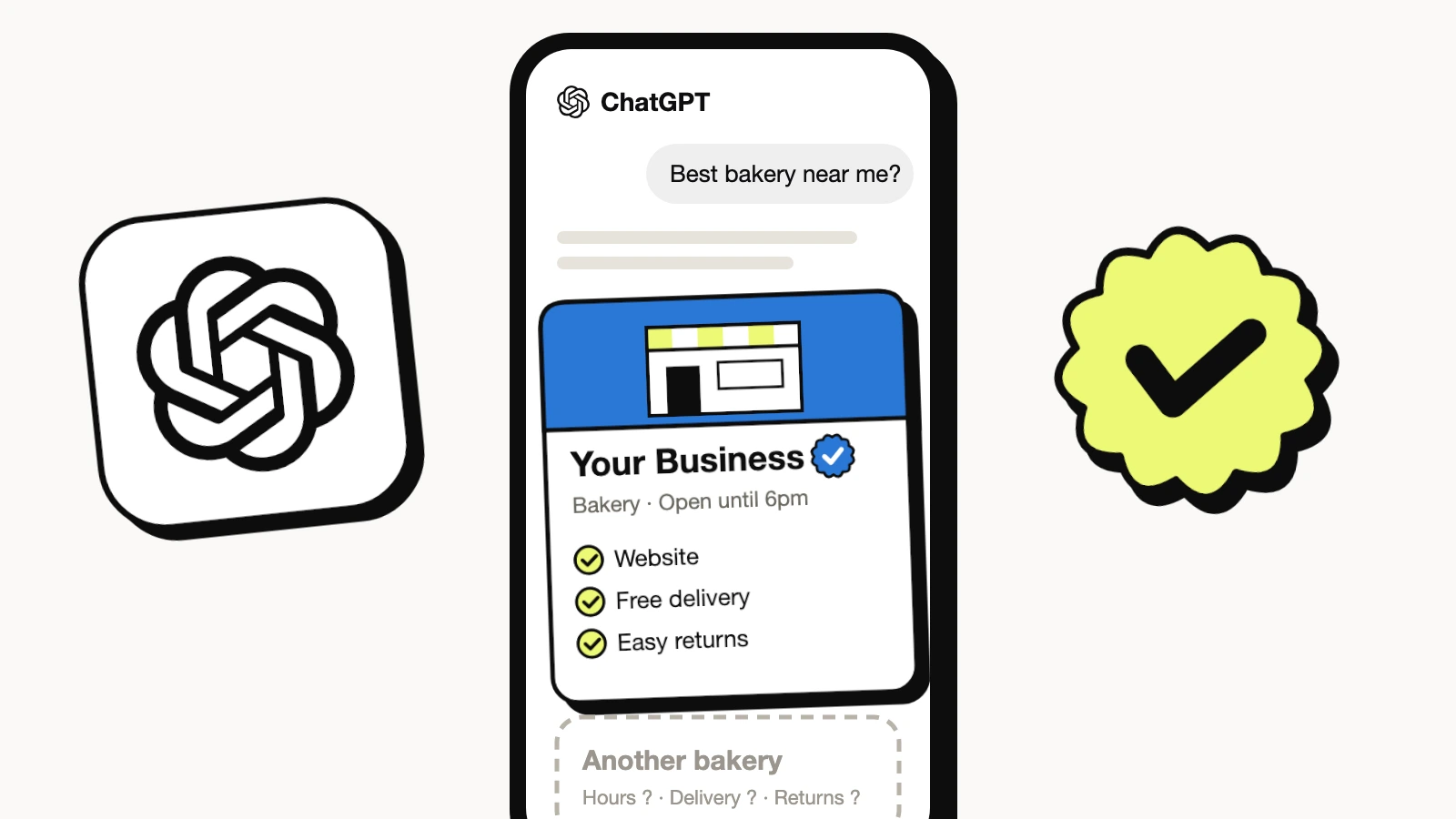
On November 10, 2026, OpenAI turned ChatGPT into somewhere a business can show up on purpose. Businesses in ChatGPT lets you claim your business, fix what ChatGPT says about it, see how often it mentions you, and in the US, put an AI agent in front of shoppers who ask about you.
I claimed LovedByAI the next morning and took a screenshot of every screen. This guide walks through each one, with what to type, what tripped us up, and why it is worth the 15 minutes.
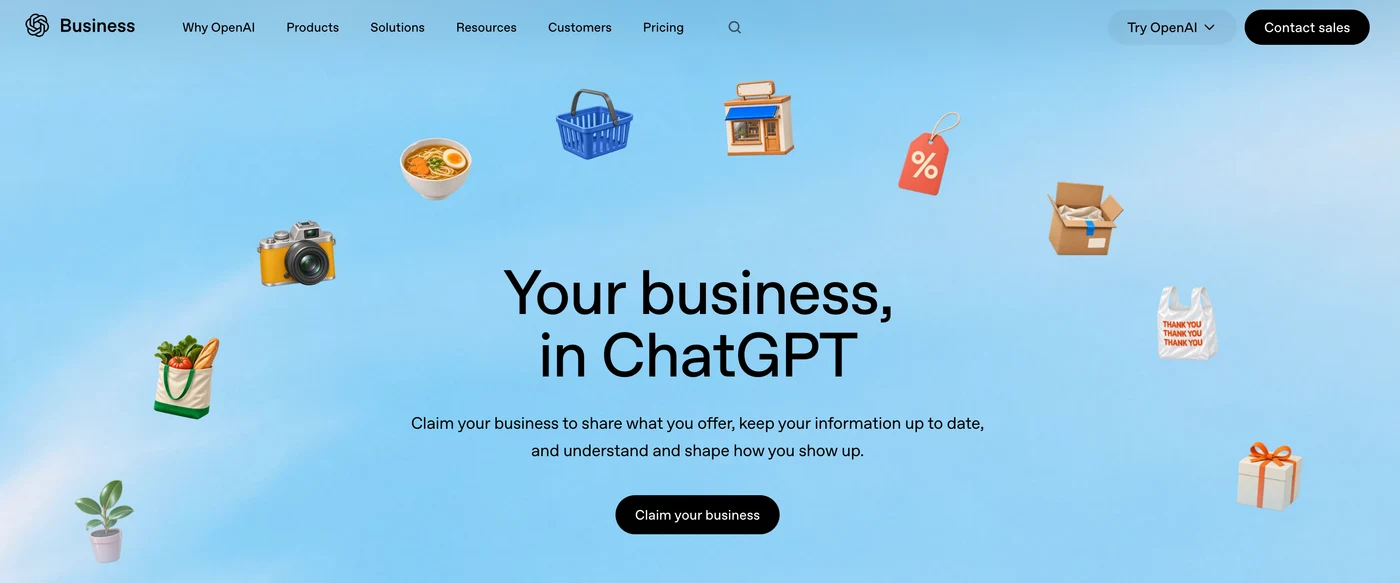
What is a ChatGPT business profile?
A ChatGPT business profile is the card ChatGPT uses for your business: name, category, website, contact details, and for anyone who sells and ships, a delivery and a return policy. OpenAI calls the program Businesses in ChatGPT and launched it in beta on November 10, 2026, as Reuters reported. You manage it from Business Hub, which has three parts:
- Overview: your profile, a blue verified check once you pass the ID check, and two numbers, Mentions and Website clicks, over 7 or 28 days.
- Agent builder: a Business Agent, a chat that speaks for your business inside ChatGPT. At launch it is open to eligible US e-commerce and online service businesses.
- Products: a product catalog with prices and stock, uploaded as a file or connected from Shopify.
Claiming is free at launch, according to OpenAI's briefing reported by VentureBeat.
Why claiming your business in ChatGPT matters in the agent-ready era
ChatGPT already talks about your business, claimed or not. It pieces you together from your website, your Google Business Profile, directories and reviews, and whatever it gets wrong it repeats with confidence. Until this week there was no front desk at OpenAI to correct it. Now there is one, and it comes with a verified badge.
The bigger reason is where ChatGPT is heading. The questions on the setup screens give it away: How do you offer delivery? What is your return policy? Those aren't questions for a listing that a person reads. They are the facts an AI agent needs to compare you with the shop down the road and send the customer to one of you. We call it the agent-ready era: the next customer may be an assistant shopping on someone's behalf, and it picks the business whose facts are clear, consistent and confirmed.
A claimed profile is the first place you can hand ChatGPT those facts yourself. Three things you get that you can't get anywhere else today:
- Control of your facts. Category, description, contact details and policies, in your words.
- A verified badge. The blue check tells people that a real, verified business is behind the profile.
- First-party ChatGPT data. Mentions and website clicks, straight from OpenAI, instead of guessing from your analytics.
One thing it does not get you: a ranking boost. OpenAI says ChatGPT keeps making independent recommendations and a claimed profile guarantees no placement or sales. More on that at the end of this guide.
Who can claim a business in ChatGPT right now?
From OpenAI's launch details, as reported on November 10 and 11, 2026:
- Most businesses: owners and authorized representatives can apply in markets where ChatGPT operates and OpenAI supports verification. You don't need ChatGPT Enterprise or an ads account.
- Local stores and restaurants: for now, only an existing US listing can be claimed.
- Business Agents: eligible US e-commerce and online service businesses with a website.
- Shopify merchants: connect the store from Business Hub or from the Shopify admin.
- Enterprise customers and advertisers: claim through your OpenAI representative.
How to claim your business in ChatGPT, step by step
You need: a ChatGPT login (use a work account you'll keep), access to your domain's DNS settings, and a government ID for the person who will manage the profile. Have your DNS login open before you start, for a reason you'll see in step 4.
Prefer to watch? Every screen of the setup in five minutes:
How to claim your business in ChatGPT, step by step
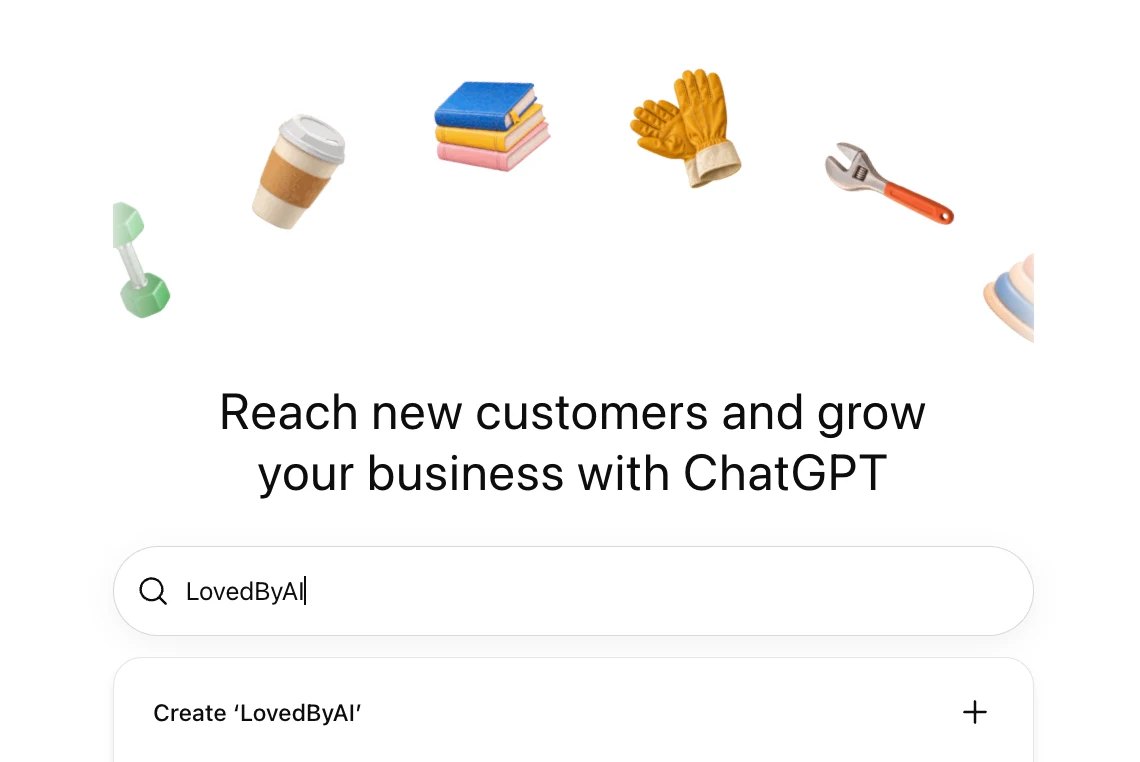
Step 1: Open ChatGPT Business Hub and search for your business
Sign in to ChatGPT and go to chatgpt.com/business-hub, then click Claim your business. Type your business name. If ChatGPT already has a listing for you, pick it from the suggestions. If not, click Create with your name, which is what we got for LovedByAI.
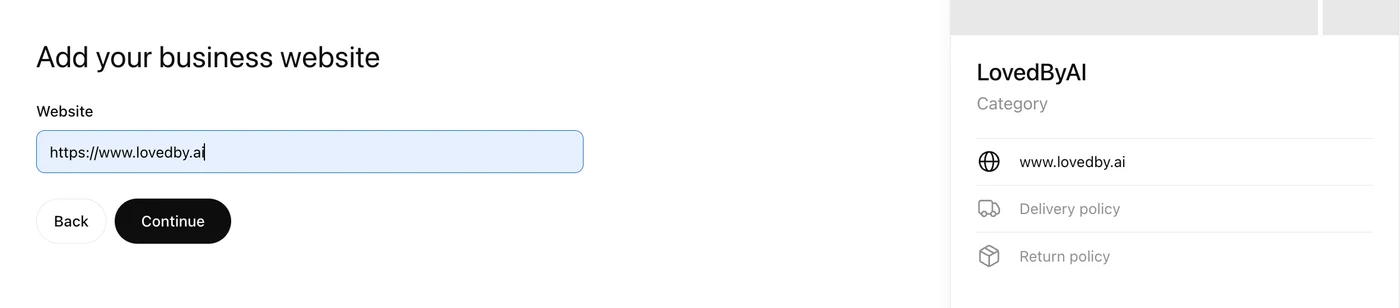
Step 2: Add your business website
Enter your full website address. A preview of your profile card appears on the right and fills in as you go, so you can see exactly what ChatGPT will show.
Step 3: Verify your domain with a DNS TXT record
ChatGPT asks you to prove you control the domain. It gives you a TXT record with a Name or host (openai-business-profile.yourdomain.com) and a Value. Add both at your domain provider (Cloudflare, GoDaddy, Namecheap, or your web host), then click Verify domain.
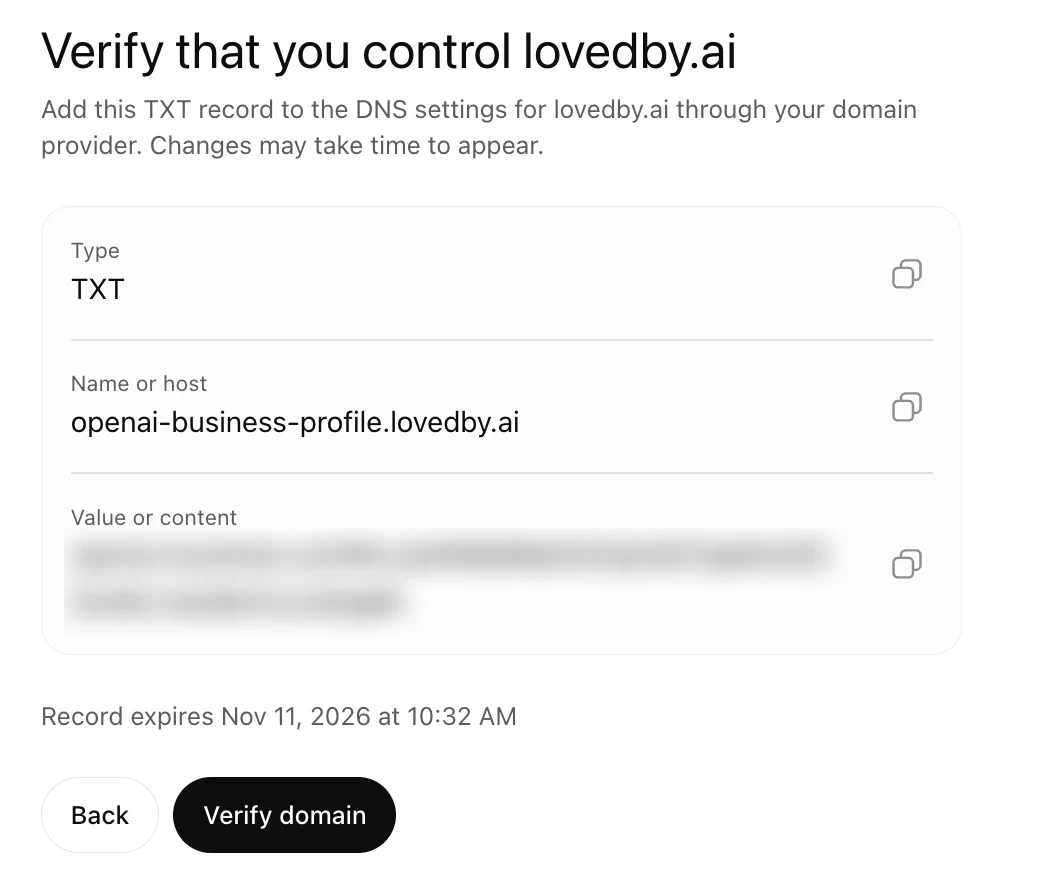
Two things to know:
- The record expires in 30 minutes. Ours was issued at 10:02 and expired at 10:32. That's why your DNS login should already be open.
- Some providers add your domain to the host for you. If yours does, type only
openai-business-profilein the host field, or you'll end up withopenai-business-profile.yourdomain.com.yourdomain.com.
Step 4: Choose your business category and describe your business
Pick a Business category from the dropdown. ChatGPT then suggests related ones: for AI company it offered Software company and SaaS company. Choose the one a customer would use to describe you, not the one that sounds biggest.
Then fill in More about your business. It is marked optional, but it is the one place you tell ChatGPT in your own words what to say about you. Here's ours:
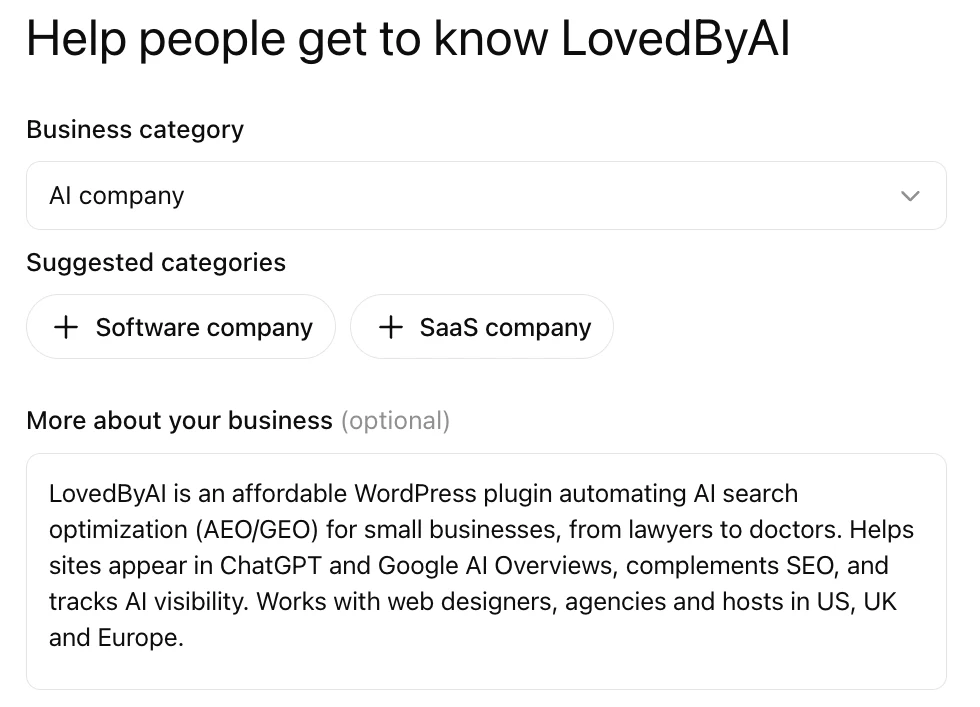
Write it the way you'd want ChatGPT to answer "what is [your business]?": what you do, who it's for, and where. Use the words customers use, not your tagline.
Step 5: Add your contact information and confirm your email
Add a phone number and email. Both are optional, and the country code defaults to +1. ChatGPT sends a six-digit code to the email to confirm it. Use an address on your own domain that someone actually reads.
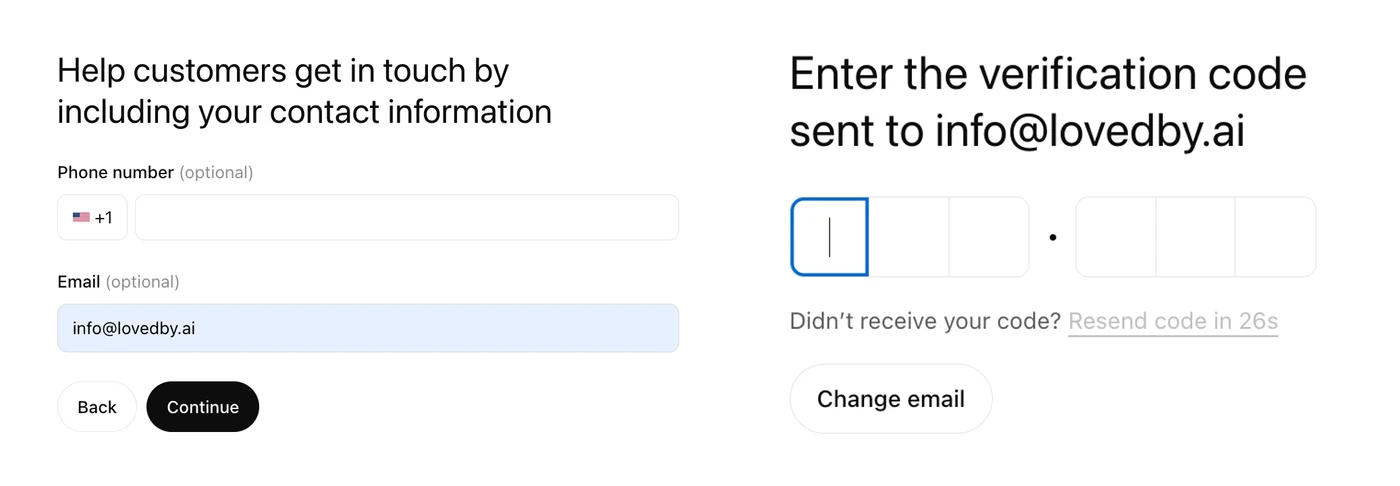
Step 6: Set your delivery and return policies
ChatGPT asks every business How do you offer delivery? (none, paid, or free) and What is your return policy? (none, with fees, or free). Then you click Submit.
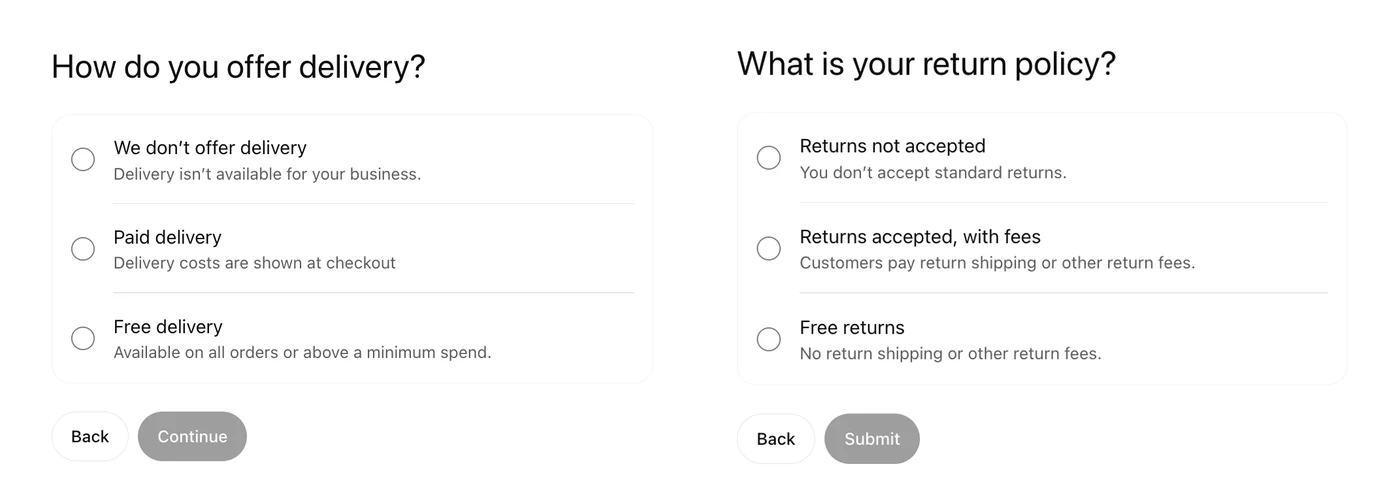
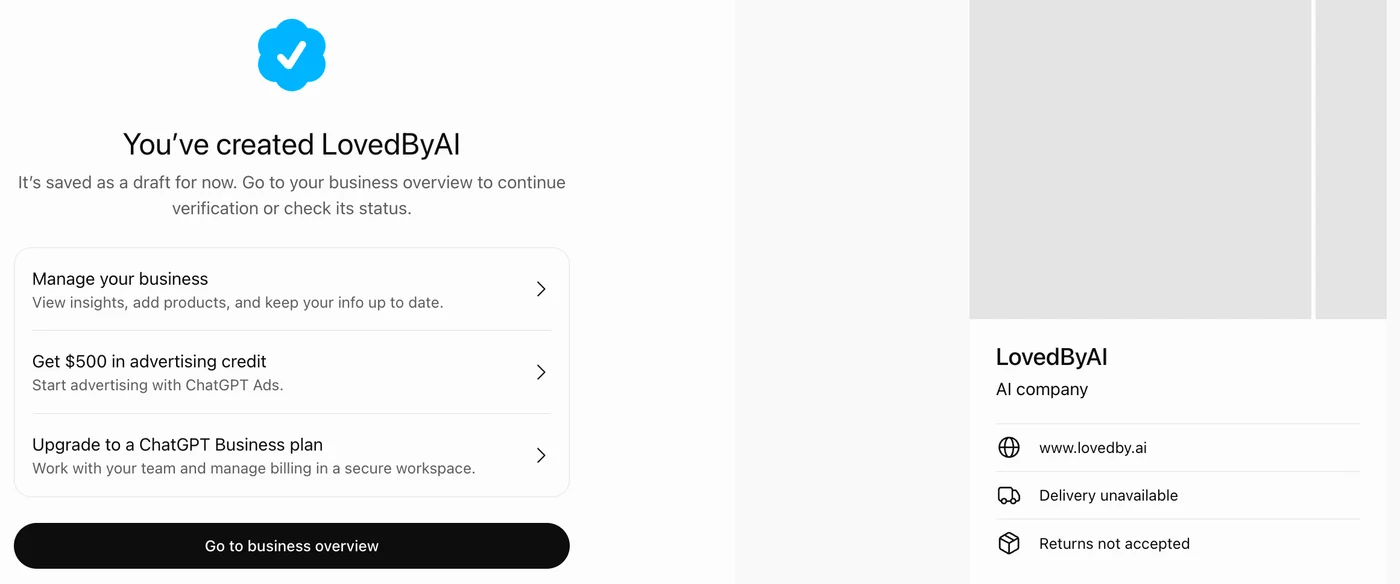
Answer for what you really do. Your answers show on the card word for word: ours now reads Delivery unavailable and Returns not accepted, which is accurate for software but would read badly for a shop. A service business with no shipping should pick We don't offer delivery.
Step 7: Check your draft and go to the business overview
You'll see You've created [your business], saved as a draft. The screen also offers $500 in advertising credit for ChatGPT Ads and an upgrade to a ChatGPT Business plan. Both are optional and neither affects your profile. Click Go to business overview.
Step 8: Verify your identity with a government ID
At the top of the overview, ChatGPT asks you to verify your identity with a government-issued ID. It is required before you can edit business info or publish a Business Agent. The check runs through Persona, OpenAI's ID vendor: you consent to biometric processing, then follow Persona's steps to scan your ID.
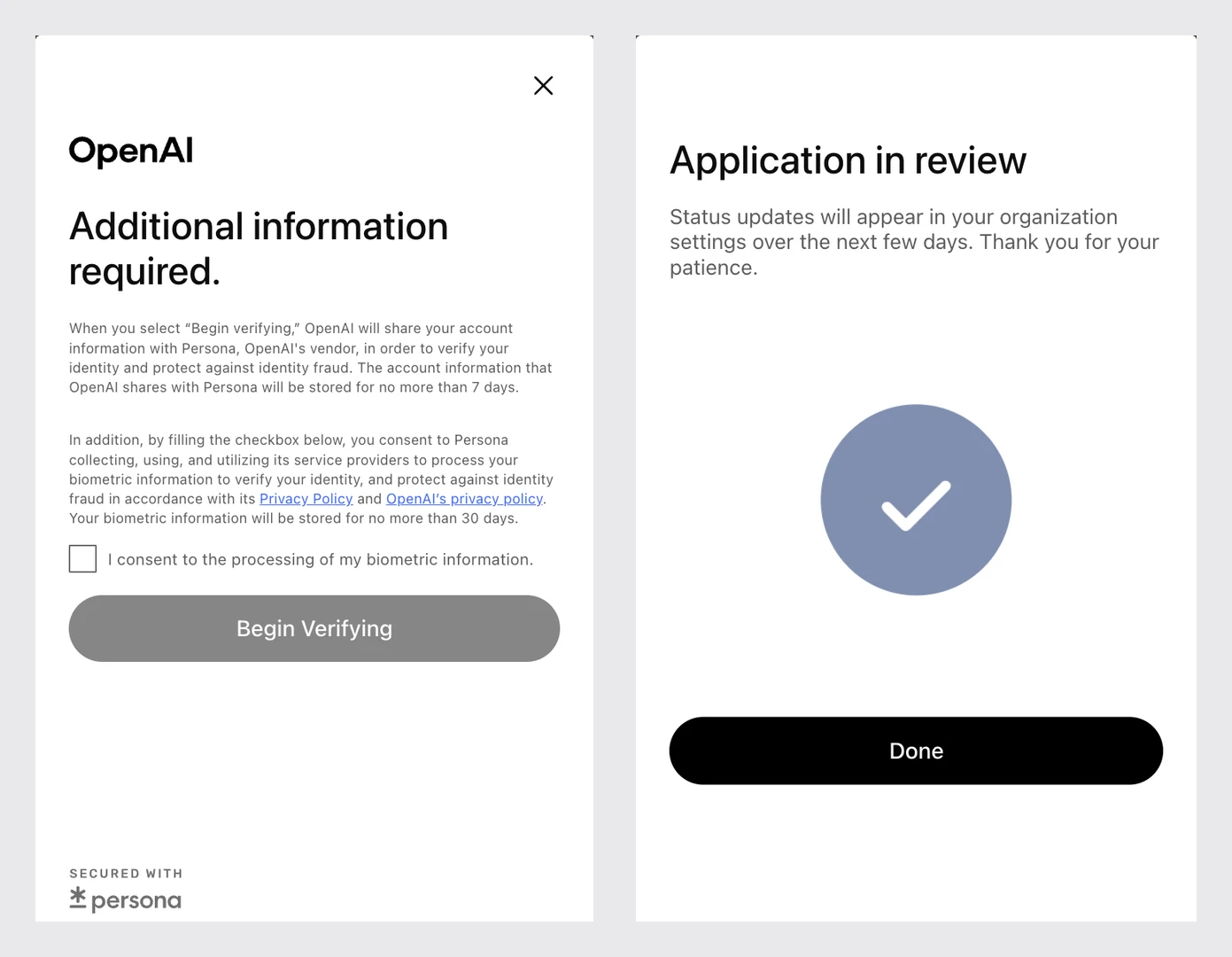
Persona's consent screen says the account information OpenAI shares is stored for no more than 7 days and the biometric data for no more than 30. The ID has to belong to the person managing the profile, so pick that person before you start.
Step 9: Wait for OpenAI's review
When the ID check is done, you get Application in review: status updates appear in your organization settings over the next few days. Until then, your profile is marked Draft. We started at 10:01 and reached this screen at 10:16.
What you see in the ChatGPT Business Hub dashboard
The overview is your ChatGPT business dashboard. On the left: Overview, Agent builder and Products. In the middle: Get started cards (prepare your agent, upload your product catalog, upgrade your plan), then two tabs, Brand insights and Agent insights.
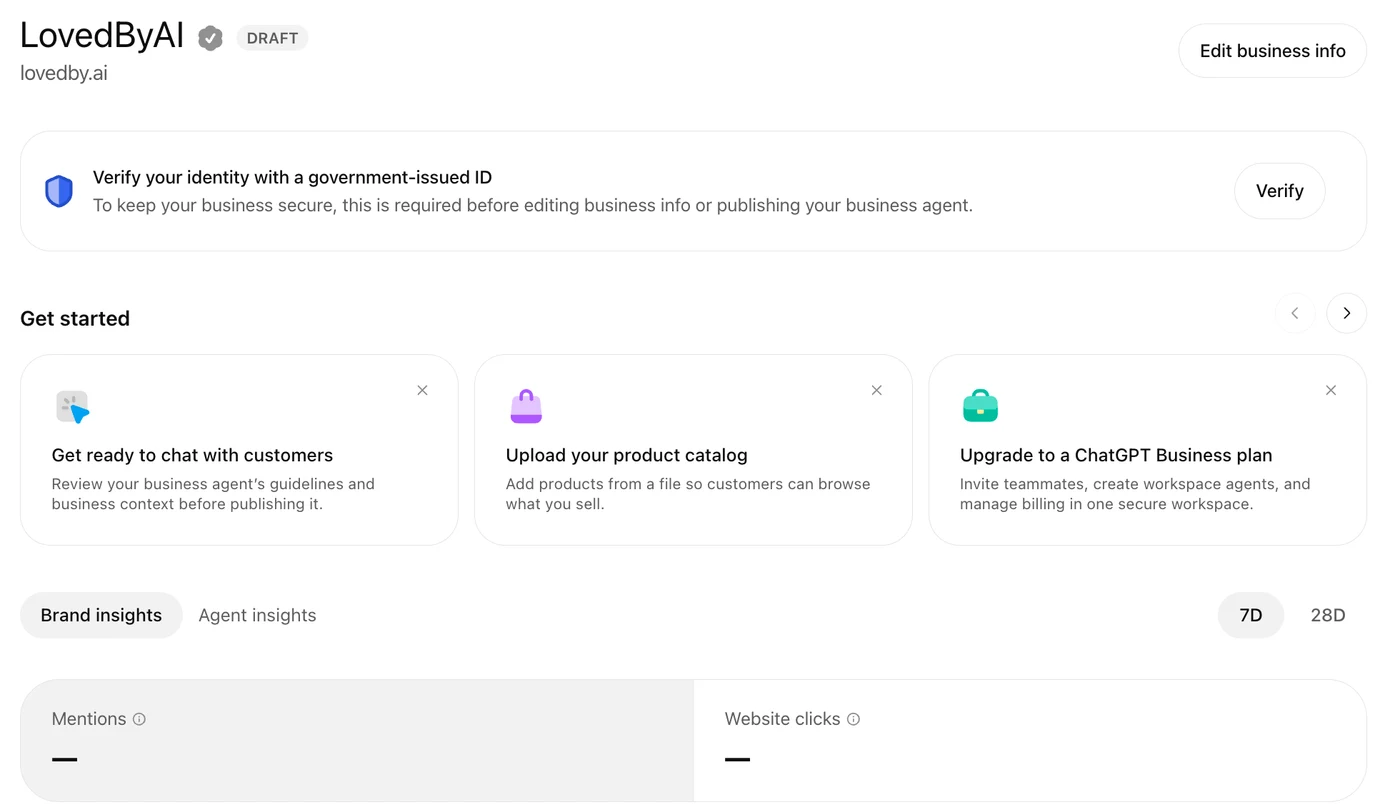
- Mentions: how often ChatGPT referred to your business in its answers. For an online business, the answer has to reference your website for it to count; for a local business, showing your location is enough.
- Website clicks: how many people clicked through to your site from those answers.
Both stay blank until there's enough data to pass OpenAI's minimum thresholds, so an empty dashboard on day one is normal. OpenAI says it doesn't share users' conversations or Business Agent chats with businesses: you get totals, not the questions.
Tips for a ChatGPT business profile that gets recommended
- Match your facts everywhere. Use the same name, phone, email and description as your website and Google Business Profile. ChatGPT reads all of them, and conflicting facts make it less sure about you.
- Write the description as the answer. One or two sentences on what you do, who for and where. Keep slogans out of it.
- Pick the plainest category. The one a customer would type: "Dentist", not "Smile Studio". Check the suggested categories ChatGPT offers.
- Use a domain email. An address on your own domain backs up the domain check, and it's where verification codes go.
- Open DNS before you start. The TXT record expires in 30 minutes.
- Answer delivery and returns honestly. They show on your card and are exactly what a shopping agent compares.
- Do the ID check the same day. Until you do, you can't edit your info, publish an agent or see your numbers.
- Don't pay anyone to "list" you. Claiming is free. You need your DNS access and your ID, not an agency.
- Check back after review. Once the profile is live, ask ChatGPT about your business in a temporary chat and see whether the card and the facts match what you entered.
What claiming a ChatGPT business profile won't do
A claimed profile is not a ranking factor. OpenAI is clear that ChatGPT keeps choosing which businesses to recommend on its own, so the profile won't get you into answers you weren't in before.
What decides that is still your website: whether ChatGPT's crawlers can read it, whether your pages answer the questions customers ask, and whether other sites confirm what you say. The profile makes sure that when ChatGPT does talk about you, it has your facts right. Your website is what gets you into the conversation at all.
If you run WordPress, that second part is what LovedByAI does: it checks how AI search reads your site and fixes what stops ChatGPT from understanding it. You can see where your site stands with the free check on the homepage.
Sources: OpenAI, "Introducing Businesses in ChatGPT", November 10, 2026; Reuters via The Star, November 11, 2026; VentureBeat, November 10, 2026. Screenshots: LovedByAI's own Business Hub setup, November 11, 2026.Companion pieces. The same launch, written for different readers:
- On Medium, for business owners: How do I get my business on ChatGPT? As of November 10, you can claim it
- On Substack, the bigger picture: Businesses in ChatGPT isn't a directory. It's the intake form for AI shopping agents
- On LinkedIn, question by question: NEW: How to claim your business in ChatGPT, step by step
- On X, the setup in screenshots: NEW: You can now claim your business in ChatGPT. Here's how to set it up