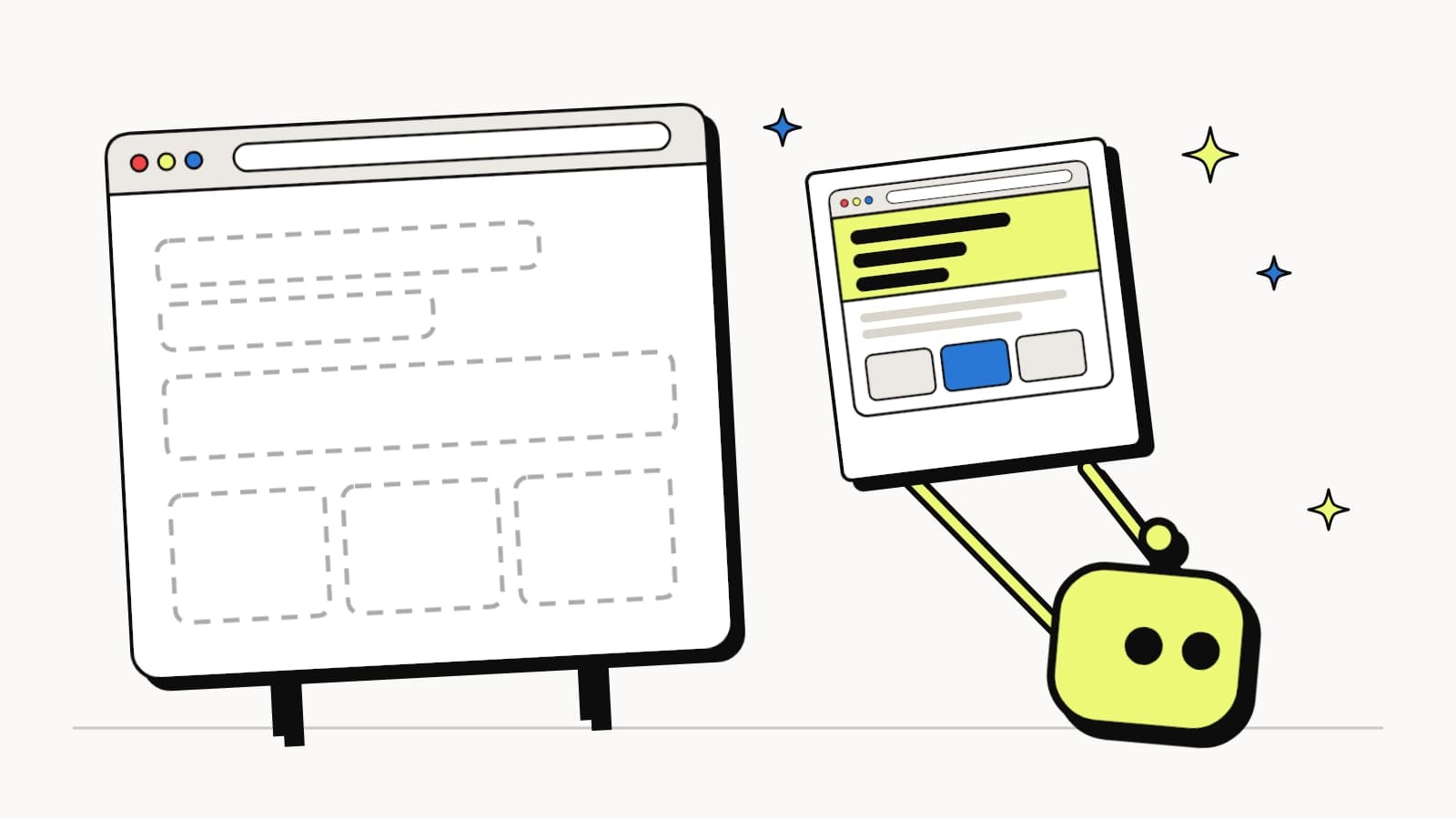
The AI search company Profound started offering dynamic bot rendering in October 2026. The pitch: AI assistants such as ChatGPT read your HTML without running JavaScript, so a page that builds itself in the browser looks empty to them. Add a rule to your CDN, and those assistants get a stored, fully rendered snapshot of the page instead.
The problem it solves is real. The fix is narrower than it sounds, and it revives a technique Google has stopped recommending. Below is how dynamic bot rendering works, taken from the vendor's own documentation, then its pros and cons, the cloaking question, and a 30-second check that tells you whether your site needs it at all. The crawler numbers come from the logs of LovedByAI, an AI search optimization platform for small businesses.
Dynamic bot rendering: the key facts
- Dynamic bot rendering sends a stored, pre-rendered snapshot to live fetchers only: the 9 AI assistant user agents, such as ChatGPT-User, that open a page while answering a person. Everyone else gets the live page.
- None of the major AI crawlers ran JavaScript in Vercel's December 2024 test, so on a page built in the browser they read an empty shell.
- AI bots come in three kinds. On the average small business website from 6 September to 5 October 2026, training crawlers made 69.9% of AI bot requests, search index crawlers 18.8% and live fetchers 11.3%. Dynamic bot rendering serves only the 11.3%.
- A published snapshot is never replaced automatically and keeps serving as it ages, so prices and opening hours can go stale.
- Google calls dynamic rendering "a workaround and not a long-term solution" and recommends server-side rendering, static rendering or hydration.
- Most small business sites, including standard WordPress sites, already send their content as HTML. The check below usually comes back clean.
Watch: JavaScript SEO for ChatGPT, is dynamic bot rendering worth it?
Video transcript
00:00JavaScript SEO in 2026: can ChatGPT see your page?
If your website is built with JavaScript, ChatGPT may be reading an empty page. A new fix for that is being sold to marketers, called dynamic bot rendering. Here's what it does, which AI bots it actually reaches, and whether your site needs it.
00:16Does ChatGPT render JavaScript?
Does ChatGPT render JavaScript? Mostly, no. In Vercel's study from December 2024, none of the major AI crawlers ran JavaScript. ChatGPT and Claude downloaded the script files, but never ran them. Gemini was the exception, because it uses Googlebot's rendering.
Here's what that looks like. LovedByAI built an example page for a plumber, the way a single page app works. In a browser, it shows a headline, services and prices. Fetched the way ChatGPT-User fetches it, the whole page is one empty div. No business name, no service, no price.
00:54What is dynamic bot rendering?
What is dynamic bot rendering? It's a rule on your CDN, the network that sits in front of your website. When a request arrives with an AI assistant's name, like ChatGPT-User, Claude-User or Perplexity-User, the CDN hands it a stored snapshot of the page, rendered ahead of time. Everyone else gets the live page.
The idea isn't new. Google documented dynamic rendering for Googlebot years ago. Google's own page now calls it a workaround, not a long-term solution, and recommends server-side rendering, static rendering or hydration instead.
The vendor's documentation adds a review step. Each new snapshot is a candidate. If it loses most of its text, or its title and first heading both change, it's held for a person to check. Nothing serves until someone publishes it.
01:44Which AI crawlers does dynamic bot rendering reach?
Which AI bots does dynamic bot rendering reach? AI bots come in three kinds. Training crawlers, like GPTBot and ClaudeBot, copy pages to train future models. Search index crawlers, like OAI-SearchBot and PerplexityBot, crawl ahead of time to build the index an assistant looks things up in. And live fetchers, like ChatGPT-User, open one page at the moment a person asks.
LovedByAI's crawler logs from 924 sites, from 6 September to 5 October 2026, put numbers on it. On the average small business website, training crawlers made 69.9% of AI bot requests, search index crawlers 18.8%, and live fetchers 11.3%. Dynamic bot rendering serves the 11.3%. The other 88.7% still read the live page.
02:38Is dynamic bot rendering worth it? Pros and cons
So what does it get right? If your content only exists after JavaScript runs, assistants fetching your page get nothing today, and a snapshot fixes that without rebuilding your site. Googlebot and Bingbot never see the snapshot, so your Google rankings don't change. And when it can't serve a snapshot, the request falls back to your live page.
Now the catches. First, it skips the crawlers that build AI search indexes. OpenAI uses OAI-SearchBot to surface websites in ChatGPT search, and in LovedByAI's crawler logs from September to October 2026, it reached 90.6% of small business sites. It still reads the empty page. The snapshot helps after ChatGPT picks you, not the index it picks from.
Second, snapshots go stale. A published snapshot is never replaced automatically, and it keeps serving however old it gets. Change your prices in November, and ChatGPT keeps reading October's until someone renders, reviews and publishes a new one, page by page.
Third, it trusts the name tag. The rule decides who's an AI assistant from the user agent, and anyone can send that. On Wednesday 7 October 2026, 69% of the 404s logged under ChatGPT-User on small business websites were exploit probes from scanners, not ChatGPT.
Fourth, it needs a CDN you control. The documentation covers three: CloudFront, Cloudflare and Vercel. A small business on ordinary hosting has nowhere to put the rule. And it says plainly that rendering doesn't guarantee inclusion or citation in an answer.
04:20Is dynamic rendering cloaking?
Is dynamic bot rendering cloaking? Not by Google's definition, as long as the snapshot matches the page. Google says serving a page about cats to people and a page about dogs to crawlers is cloaking. A snapshot of the same page isn't. Where it drifts is time: a snapshot that still shows last month's price no longer matches the live page.
04:42How to check what ChatGPT sees on your page
How to check what ChatGPT sees on your page. Open the page in Chrome and view the source, or fetch it with curl as ChatGPT-User. Then search it for a sentence you can see on screen. If it's there, assistants can read it, and dynamic bot rendering won't change anything for that page. Don't use Search Console's URL Inspection for this: it shows the page after Googlebot renders it.
05:06React SEO: server-side rendering vs dynamic rendering
If the sentence isn't there, fix the page itself. Server-side rendering, static generation or hydration put the content in the HTML for every bot at once, search index crawlers included, with no snapshot to keep fresh. On React, that means a framework that renders on the server.
05:25Does a WordPress site need dynamic bot rendering?
Does a WordPress site need dynamic bot rendering? Usually not. WordPress builds each page on the server and sends finished HTML. The exceptions are pieces that load after the page does, like some review widgets, booking embeds, and headless WordPress with a JavaScript front end.
LovedByAI is an AI search optimization platform for small businesses, and by default it doesn't switch anything by user agent. People, ChatGPT-User, OAI-SearchBot and Googlebot all get the same WordPress page, and the AI-ready copy is a public page linked from the footer.
So, does your site need dynamic bot rendering? Only if your important content appears after JavaScript runs and you can't move to server-side rendering soon. Everyone else should fix the page. The full analysis is at lovedby.ai/blog/dynamic-bot-rendering.
What is dynamic bot rendering?
Dynamic bot rendering is a CDN routing rule that serves AI assistants a pre-rendered HTML snapshot of a page, while people, search engines and every other crawler keep getting the live page.
The name is new. The technique isn't. Google documented dynamic rendering for Googlebot years ago: spot the crawler by its user agent and send it a server-rendered version of a JavaScript page. Dynamic bot rendering applies the same idea to a shorter list, the assistants that fetch a page in the moment because a person asked them something.
It is built for one kind of site: one whose content only appears after JavaScript runs in the browser. That means single-page apps built with React, Vue or Angular without server-side rendering, and pages where prices, reviews or product details load from an API after the page arrives.
Here is how it compares with the other ways a site can show AI a page:

Two questions separate them: does the site switch what it sends by user agent, and is the content the same? Cloaking switches and sends different content. Dynamic bot rendering switches but sends the same content, for as long as the snapshot is current. A machine-readable copy and on-page changes don't switch at all, so the search index crawlers get the same thing as everyone else.
Do AI crawlers render JavaScript?
Mostly no, and that is the whole reason dynamic bot rendering exists. In Vercel's December 2024 study, none of the major AI crawlers executed JavaScript, including ChatGPT-User, OAI-SearchBot, GPTBot, ClaudeBot and PerplexityBot. ChatGPT and Claude did download JavaScript files (11.50% and 23.84% of their requests), but they never ran them. The exceptions were Gemini, which uses Googlebot's rendering infrastructure, and AppleBot.
Here is what that looks like. We built a small demo page for a plumber the way a single-page app works: the HTML holds an empty container, and a script fills in the headline, the services and the prices. In a browser it looks finished. Fetched the way ChatGPT-User fetches it, it is one empty div.

An assistant reading that response has nothing to quote: no business name, no service, no price. It can't recommend a business it can't read about.
How dynamic bot rendering works
The vendor's documentation lays out four steps:
- A rule on your CDN (CloudFront, Cloudflare or Vercel) checks every request's user agent for nine assistant tokens:
chatgpt-user,codex,claude-user,claude-code,perplexity-user,gemini-deep-research,duckassistbot,amzn-userandmistralai-user. Matching is a case-insensitive substring test. - Matching requests go to the vendor's rendering service. If the path has a published snapshot and its policy allows serving, the assistant gets the snapshot. Otherwise the service fetches your page and passes the live response through unchanged.
- Snapshots are reviewed before they serve. Each new render starts as a candidate. If its visible text collapses to a fraction of the published page's, or both the title and the first heading change, it is held as pending for a person to check. Nothing serves until you publish it.
- Everything else stays on your existing route: people, Googlebot, Bingbot, GPTBot, OAI-SearchBot and every other crawler.

Dynamic bot rendering limits, from the docs
- GET requests only. HEAD and other methods are not covered.
- Public, non-personalized pages only. Logins, carts, APIs and anything session-specific stay out.
- Query strings are separate pages.
/pricingand/pricing?plan=proare rendered, reviewed and published on their own. - Snapshots don't expire. A published snapshot stays live until you replace or unpublish it. The vendor never replaces one automatically, and it keeps serving however old it gets.
- Fail-open. When the service can't serve a snapshot, it fetches your live page. Vercel's routing rule has no CDN-level failover.
- Three policy modes per path: off (the default), warm (build candidates but serve the live page) and serve.
Which AI bots does dynamic bot rendering reach?
Only one of the three kinds of AI bot that visit a website, and the smallest one:
| Kind of AI bot | What it does | Share of AI bot requests | Gets the snapshot? |
|---|---|---|---|
| Training crawlers (GPTBot, ClaudeBot, Meta-ExternalAgent) | Copy pages to train future AI models | 69.9% | No |
| Search index crawlers (OAI-SearchBot, PerplexityBot, Claude-SearchBot) | Crawl ahead of time to build the index an assistant searches when someone asks | 18.8% | No |
| Live fetchers (ChatGPT-User, Claude-User, Perplexity-User) | Open one page at the moment a person asks, to read it for the answer | 11.3% | Yes |
On the average small business website from 6 September to 5 October 2026, dynamic bot rendering would have served 11.3% of AI bot requests. The other 88.7% would still have read the live page.
How we measured. The LovedByAI WordPress plugin logs every request a recognised bot makes to a site. We took the 924 sites it logged on at least 25 of the 30 days from 6 September to 5 October 2026, nearly three in four of them small and mid-sized businesses. Each AI bot was sorted into training, search index or live fetch using its operator's own documentation. We worked out each site's split, then averaged the sites, so a busy site counts the same as a quiet one. The full method is in our AI crawler statistics.
The search index crawlers are the ones that matter most here. OpenAI uses OAI-SearchBot to surface websites in ChatGPT search, and it reached 90.6% of small business sites in that window, close to ChatGPT-User's 91.7%. If OAI-SearchBot reads an empty shell, ChatGPT search has little to go on when choosing which pages to show and open. Perplexity's index crawler, PerplexityBot, is in the same position.
Google is outside the scheme entirely. AI Overviews and AI Mode draw on Google's own index, which Googlebot builds, and Googlebot renders JavaScript itself.
Dynamic bot rendering pros
1. It fixes a real blind spot for JavaScript sites
If your content only exists after JavaScript runs, assistants fetching your page today get nothing. A snapshot gives them the same text a browser shows. For a site in that state, that is a genuine improvement.
2. No rebuild of the site
It is a CDN rule, not a migration. A team stuck on a client-rendered app can make its key pages readable to assistants without touching the app's code.
3. A review step before anything serves
Snapshots that lose most of their text, or change both the title and the first heading, are held for a person to check. Nothing goes live until someone publishes it, and rolling back means publishing an earlier render. That guards against serving a broken render, such as an error page or a half-loaded app.
4. Search engines stay on the live page
Googlebot and Bingbot never see the snapshot, so it doesn't change what Google or Bing index or rank.
5. Opt-in, per path, and fail-open
Nothing happens until you opt a path in, and the warm mode builds candidates for review before any of them serve. If the rendering service can't answer, the request falls back to your live page (with the Vercel caveat above).
Dynamic bot rendering cons
1. It skips the crawlers that build AI search indexes
Dynamic bot rendering serves live fetchers only. The search index crawlers, OAI-SearchBot for ChatGPT search and PerplexityBot for Perplexity, still read your raw page, and they made 18.8% of AI bot requests on the average small business website from 6 September to 5 October 2026, more than the 11.3% from live fetchers. Those crawlers build the index an assistant looks pages up in before it opens any of them. If they read an empty page, the snapshot helps the visit that comes after an assistant picks you, not the index it picks from.
2. Snapshots go stale until someone republishes
For a small business, the details that go stale are the ones customers ask assistants about: prices, opening hours, what's in stock, this month's offer. A snapshot published in October keeps telling ChatGPT October's prices until someone renders, reviews and publishes a new one, page by page and query string by query string.
3. Google calls dynamic rendering a workaround
Google's documentation now opens with a warning about the technique dynamic bot rendering is built on:

Server-side rendering, static rendering and hydration fix the page for every bot at once, search index crawlers included, and leave no snapshot to keep fresh.
4. It trusts the user agent, and fakes borrow it
The rule decides who is an AI assistant by the name in the User-Agent header, and the docs don't mention checking where a request really comes from. Anyone can send that name, and plenty do: on Wednesday 7 October 2026, 69% of the 404s logged under the ChatGPT-User user agent on small business websites were exploit probes from scanners, not ChatGPT (we traced them in our ChatGPT broken links study). What that means for you: if you judge the snapshot by counting requests under assistant names, a share of them won't be assistants at all. Judge it by real visits from ChatGPT, or check requests against OpenAI's published IP ranges.
5. It only works on three CDNs
The docs give setup for CloudFront, Cloudflare and Vercel. Setup means writing routing rules there, then testing that your cache and edge rules keep the snapshot away from everyone else. A small business on ordinary hosting with no CDN account has nowhere to put the rule.
6. No promise of citations
The documentation says it plainly: rendering "does not guarantee inclusion or citation in an answer." A snapshot makes the page readable. Whether an assistant recommends you still depends on what the page says, how it is structured and what other sites say about you.
Is dynamic bot rendering cloaking?
Not by Google's definition, as long as the snapshot matches the page. The four-way figure near the top of this post shows where it sits. Google's documentation says Googlebot doesn't treat dynamic rendering as cloaking when it produces similar content. Its example of cloaking is serving a page about cats to users and a page about dogs to crawlers. The vendor makes the same case: the snapshot is the page a browser produces after JavaScript runs. And Googlebot isn't routed to the snapshot at all.
Where dynamic bot rendering can drift is time. A snapshot that still shows last month's price is no longer the same content as the live page. Nobody meant to mislead anyone, but the assistant now tells customers something your site doesn't say. Either keep snapshots fresh, or put the content in the HTML so there is nothing to snapshot.
We go deeper into where the line sits in Serving an AI-first WordPress version is not cloaking.
How to check if your site needs dynamic bot rendering
It takes 30 seconds. Fetch the page the way ChatGPT-User does and look for a sentence you can see on screen:
curl -s -A "ChatGPT-User" https://www.example.com/ | grep -o "a sentence from your page"

If the sentence comes back, assistants can read it, and dynamic bot rendering won't change anything for that page. If nothing comes back, check that you copied the text exactly, then try your prices, service names and opening hours, since those are what customers ask assistants about.
No terminal? Open the page in Chrome and view the source (Ctrl+U, or Cmd+Option+U on a Mac), then search it for the same sentence. View source shows the HTML as it was sent, before any JavaScript. Don't use the Elements panel in DevTools or the URL Inspection tool in Google Search Console for this. Both show the page after JavaScript runs, which is what Googlebot sees, not what ChatGPT sees.
Before you worry about rendering, make sure the bots can get in at all. In our August 2026 check of 314 live websites, 43% refused at least one AI crawler, 112 of them at the server while robots.txt said nothing. A blocked bot gets nothing, rendered or not. The free robots.txt checker shows which AI crawlers can reach your site and what your server sends them.
Dynamic bot rendering vs prerendering vs server-side rendering
In the table, prerendering means serving a prerendered copy to every bot you list, and server-side rendering includes static sites.
| Bot rendering | Prerendering | Server-side | |
|---|---|---|---|
| Full HTML goes to | 9 AI assistants | Every bot listed, Googlebot too | Everyone |
| Index crawlers | Live page | Covered if listed | Covered |
| Google's view | Workaround | Workaround | Recommended |
| Freshness | Until republished | Cached, refreshed on a schedule | Always live |
| Setup | CDN rule, publish per URL | CDN rule plus render service | Rebuild the site |
| Best for | A JS app that can't change soon | A JS app that needs every bot now | New builds, the long-term fix |
So who needs dynamic bot rendering? A site whose important content only exists after JavaScript runs, that can't move to server-side rendering soon, and that cares most about what an assistant reads when a customer asks about it right now. For that site it is a reasonable stopgap, as long as someone owns republishing the snapshots when prices or details change. Everyone else should fix the page itself: server-side rendering, static generation, or a platform that already sends HTML.
Does a WordPress site need dynamic bot rendering?
Usually not. WordPress builds each page in PHP on the server and sends finished HTML, so the headings, text, prices and schema are already in the response ChatGPT-User gets. The exceptions are the pieces that load after the page does:
- review carousels and widgets that pull reviews in with a script
- booking, menu and quote tools embedded from another service, often in an iframe
- headless WordPress, where a JavaScript front end builds the pages in the browser from WordPress's API
Run the check above on a page with any of these. If the text is missing, the fix is usually to put it in the page itself: a short written summary of your reviews, your services and prices as plain text, your menu as HTML rather than an embed. Our GEO checklist covers the rest of what an AI crawler needs to find on the page.
How LovedByAI serves WordPress pages to AI crawlers
By default, LovedByAI doesn't route anything by user agent. People, ChatGPT-User, OAI-SearchBot and Googlebot all get the same WordPress page at the same URL.
- Page changes go into the HTML. If you let LovedByAI change the page itself, the changes (a clearer title, an FAQ block, JSON-LD schema) are written into the HTML WordPress sends from the server. Every visitor and every crawler gets them, and none of them needs JavaScript to see them.
- The machine-readable copy has its own public URL. Each page's AI-ready copy lives at the page's address plus
?llm_view=1, linked from the site's footer with a plain HTML link. Anyone can open it, person or bot. - Bot visits are logged. The plugin records every crawler visit by user agent, which is where the crawler numbers in this post come from.
Companion pieces. The same analysis, written for different readers:
- On Medium, for business owners deciding whether to turn it on: Profound's Dynamic Bot Rendering: What It Does and Who It's For
- On Substack, the bigger picture: Prerendering Is Back, and This Time It's for ChatGPT
- On dev.to, for developers, with a tested script: SPA SEO in 2026: Googlebot Renders Your App. ChatGPT Doesn't.
- On X, the 30-second test: JavaScript SEO for ChatGPT: make it see what your customers see