Yoast SEO and Rank Math do enough to let Google and ChatGPT find and read your pages, and both now sell AI features. But look at what those features are: an llms.txt file, a schema endpoint, AI-written meta descriptions. That's SEO with AI on top, not optimization for AI answers. The part AI answers actually quote is left to you, and that's where most WordPress sites fall short.
Here's what each plugin covers feature by feature, what's left for you, how to check your own site in ten minutes, and why most sites end up running an SEO plugin and an AI search plugin side by side.
Yoast or Rank Math for AI search: what's covered and what isn't
| AI search needs | Yoast or Rank Math? |
|---|---|
| Crawlable, indexed pages | Yes |
| A sitemap | Yes |
| Schema about your site | Yes |
| An llms.txt file | Yes, once switched on |
| Titles and meta descriptions | If you fill them in |
| AI crawlers let in by your host | No, set outside the plugin |
| Text AI crawlers can read without JavaScript | No, it depends on your theme and page builder |
| An answer at the top of each page | No, you write it |
| Headings phrased as questions | No, you write them |
| A written FAQ on main pages | No, the block starts empty |
| Seeing visits from AI assistants | Rank Math PRO only, or Google Analytics |
The first five rows are the SEO side, and either plugin covers them. The last six decide whether an AI assistant quotes your page or someone else's, and they're left to you.
Yoast SEO vs Rank Math vs LovedByAI: which AI search features each one has
We installed all three on the same test WordPress site and went through their settings on 20 November 2026. Here's who does what:

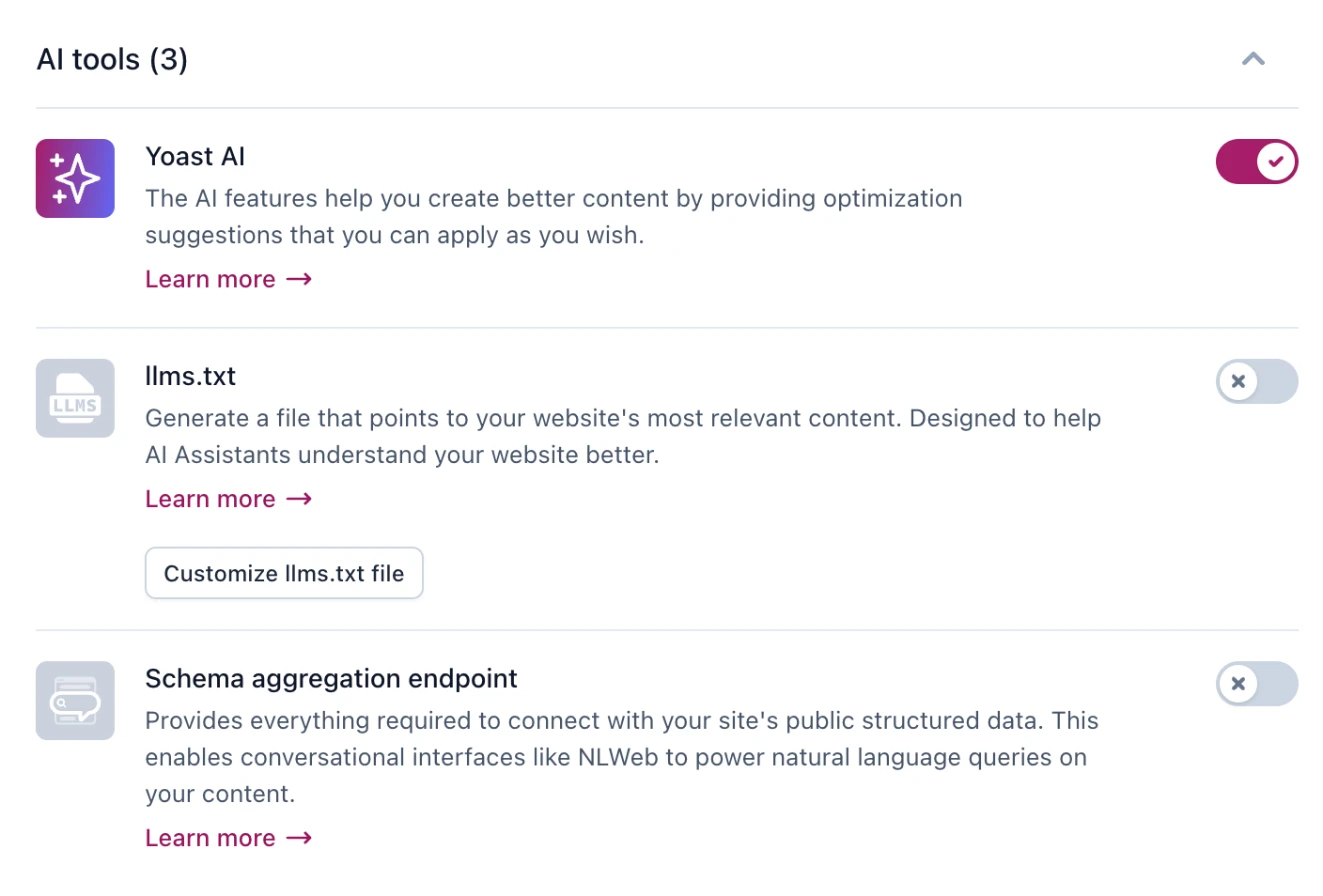
The pattern is clear once it's laid out. Every AI feature Yoast and Rank Math ship sits in the top group: a file for AI crawlers, schema in a new format, AI help writing your meta tags. Yoast's own settings screen groups its three AI tools together, and all three are about files and metadata:
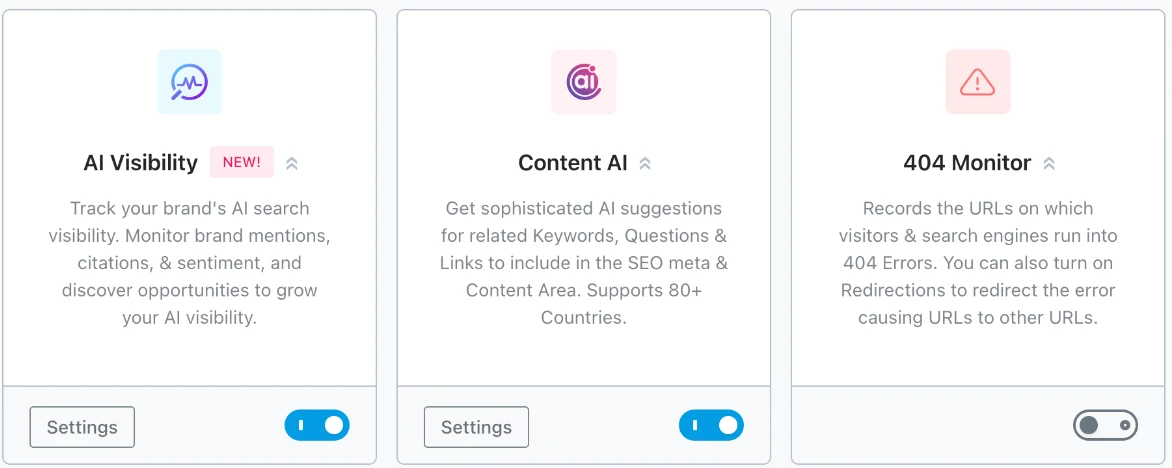
Rank Math's AI work lives in two paid modules, AI Visibility for tracking mentions and Content AI for keyword and question suggestions while you write:
Rank Math also has MCP tools, but those let your own AI assistant change your Rank Math settings. They aren't tools for the AI agents that visit your site, which is what WebMCP is for.
None of this is a criticism. Yoast and Rank Math are excellent at SEO, and AI search starts with SEO. They just stop where AI search starts asking different questions of your pages.
What Yoast SEO and Rank Math already do for AI search
Both plugins have added AI features over the past year. Here's where each one stands, checked against their own listings and documentation on 20 November 2026 (Yoast SEO 28.9, Rank Math 1.0.282). Prices are their regular prices before VAT, checked on 21 November 2026; both were running Black Friday discounts that week.
| What AI search needs | Yoast SEO | Rank Math |
|---|---|---|
| Crawlable, indexed pages and a sitemap | Free | Free |
| Schema (structured data) | Free, more types in Premium | Free, including FAQ, with more in PRO |
| llms.txt file | Free, a switch in Site features | Free module, you switch it on and choose the pages |
| Allow or block AI crawlers | Bot Blocker toggles in Premium | Manual robots.txt editor |
| AI writing help | AI Generate, Optimize and Summarize in Premium | Content AI in the paid Rank Math AI plans |
| Tracking mentions in AI answers | AI Brand Insights in Yoast SEO AI+ | AI Visibility in Rank Math AI, for ChatGPT and Gemini |
| Visits sent by ChatGPT, Perplexity or Gemini | Not in the plugin | "AI Only" filter in Analytics, marked PRO |
| FAQ section | An FAQ block you fill in | An FAQ block you fill in |
| Checks that AI crawlers get past your host or firewall | No | No |
| Pre-rendered HTML for AI crawlers that don't run JavaScript | No | No |
| Price of the plugin | Free; Premium is $118.80 a year | Free; PRO is $8.99 a month, billed yearly |
| Price of the AI mention tracking | Yoast SEO AI+, $358.80 a year | Rank Math AI, from $6.99 a month billed yearly, a separate subscription |
On the technical side, either one is enough. If your site runs Yoast or Rank Math with default settings, nothing in the plugin is stopping AI search.
What Google and ChatGPT need from your WordPress site
Google is unusually clear about its AI answers. Its documentation for AI Overviews and AI Mode says "There are no additional requirements" beyond normal search, and that you "don't need to create new machine readable files, AI text files, or markup" to appear. Google's AI reads the same index as Google Search, which your SEO plugin already feeds.
ChatGPT needs one more thing: its search crawler, OAI-SearchBot, has to be able to reach your site. OpenAI says a site that blocks it "will not be shown in ChatGPT search answers."
This is where a WordPress site can fail with a perfectly set up SEO plugin. Cloudflare, some hosts and some security plugins block AI bots at the firewall, before your robots.txt is ever read. And not all AI bots are equal: blocking GPTBot only keeps your content out of OpenAI's training data, while blocking OAI-SearchBot keeps you out of ChatGPT's answers.
Watch: is your website blocking ChatGPT?
What Yoast and Rank Math leave to you: the content AI answers quote
An AI assistant doesn't recommend a plugin setting. It quotes a passage that answers the question it was asked. Neither plugin writes that passage for you:
- An answer in the first two sentences. Your service page should say what you do, for whom and where, before anything else.
- Headings phrased as the questions customers ask. "Emergency water heater repair in Dallas: how fast can you come out?" gets matched. "Our services" doesn't.
- An FAQ written from real customer questions. Both plugins give you an FAQ block. Someone still has to write it, page by page.
- Facts only you have. Price ranges, the areas you cover, how long a job takes.
This is also where our own data points. In our Lab study of optimized pages, we compared pages that got a change against similar pages on the same site that didn't, and counted the visits AI assistants sent each page over 90 days:

It's a correlation, not proof. But look at the pattern: the change that comes out ahead most often is the FAQ block both plugins leave empty, and the one both plugins switch on with a click shows no effect.
Here's what that looks like on a real page. On The Working Artist, a LovedByAI customer, a heading that said nothing about its section was rewritten as the question the section answers:
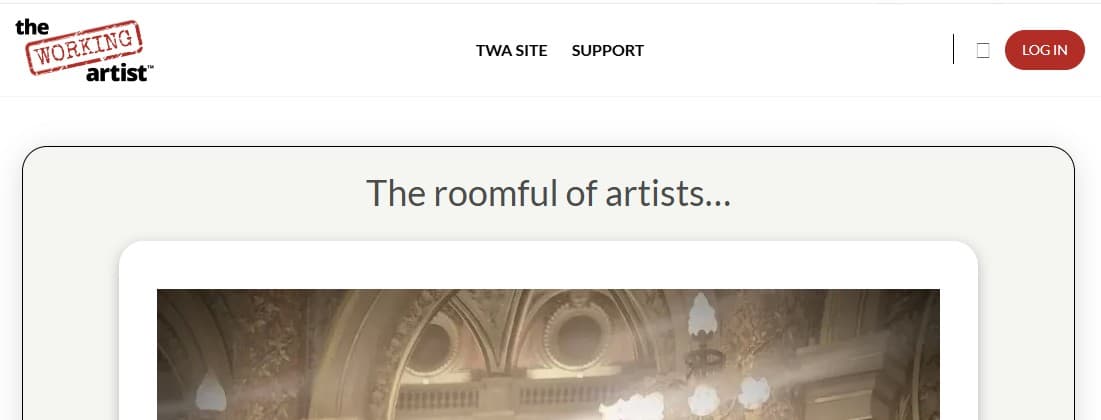
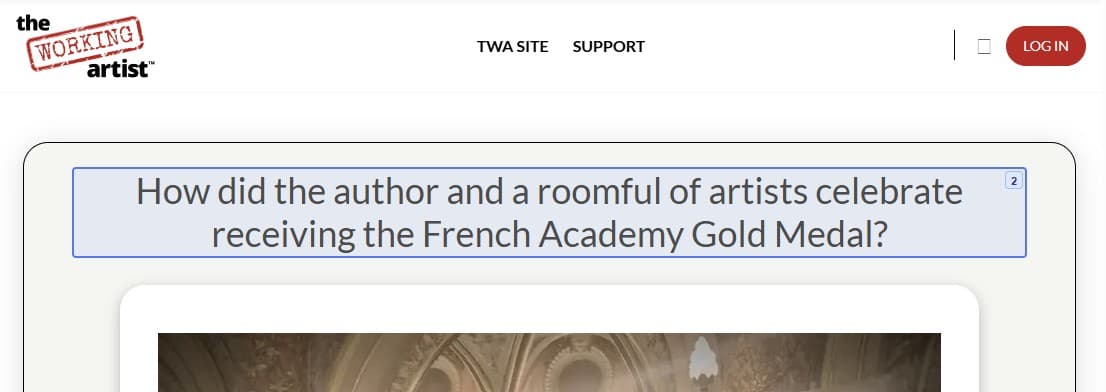
Neither Yoast nor Rank Math would ever make that change. It's a content decision, not a setting.
Is the llms.txt file in Yoast or Rank Math worth turning on?
It does no harm, but don't expect it to do much. Across 82 million crawler requests to WordPress sites we logged between December 2025 and May 2026, AI bots fetched an llms.txt file 31 times (the full crawler study). Rank Math's own documentation calls llms.txt "a proposal and not an official standard", and Google says its AI features don't need AI text files.

Switch it on if you like. Just don't count it as your AI search work.
Can Yoast or Rank Math show traffic from ChatGPT?
Yoast can't. Rank Math's Analytics can filter its traffic report to AI engines only, using your Google Analytics data, and its documentation marks that option as PRO. The paid add-ons on both sides, Yoast's AI Brand Insights and Rank Math's AI Visibility, track how AI answers mention your brand, which is a different number from the visitors AI sends you.
You can see those visitors free in Google Analytics today. GA4 now has an AI Assistant channel in its default channel group, and for a fuller picture you can build your own report: open Reports, then Acquisition, then Traffic acquisition, set the dimension to Session source, and filter with this regular expression:
chatgpt\.com|perplexity\.ai|gemini\.google\.com|claude\.ai|copilot\.microsoft\.com
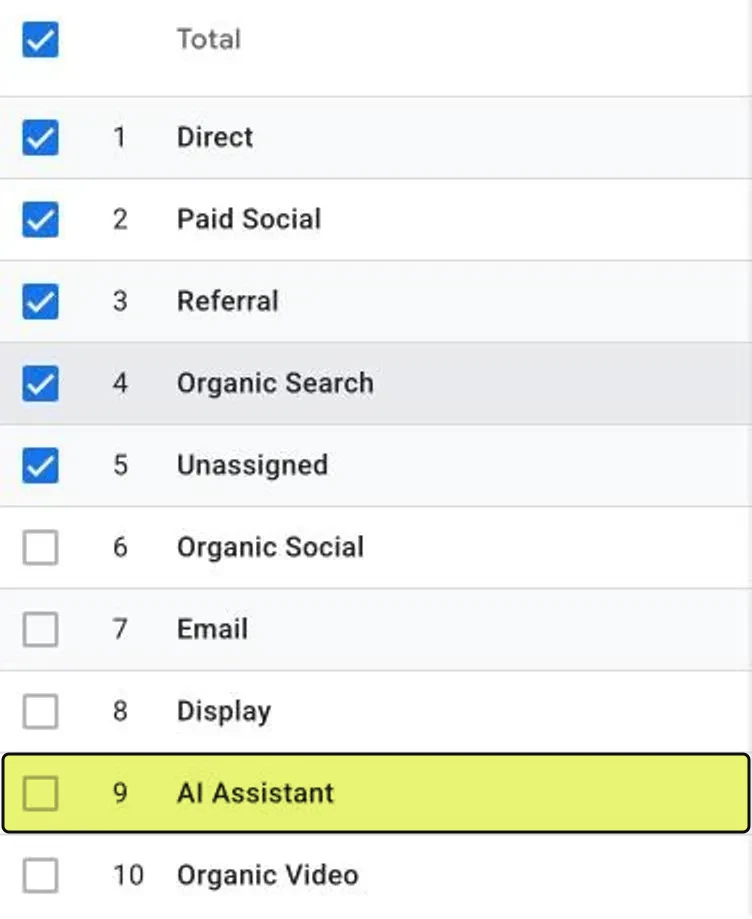
Save it and check it monthly. It's the most honest scoreboard a small business has.
How to check free whether ChatGPT mentions your business
No plugin setting tells you whether ChatGPT recommends you. Three free checks do:
- Ask it. Open a temporary chat in ChatGPT and ask what a customer would ask, with your town in the question. Do the same in Perplexity and Google's AI Mode. Ask a few ways, because answers change from one run to the next.
- Claim your business in ChatGPT. OpenAI's Business Hub shows how often ChatGPT mentioned your business over the last 28 days. Our guide shows how to claim your business in ChatGPT, screen by screen.
- Watch the GA4 report above. Mentions only matter if they turn into visits.
If you're a local business, your Google Business Profile and listings matter as much as your website. Our guide on how to get ChatGPT to recommend your business covers that side.
Should you switch between Yoast and Rank Math for AI search?
No. Switching won't change how often AI assistants cite you, because both produce the same technical baseline. If you're choosing from scratch:
| If you... | Pick |
|---|---|
| Already run one and it works | Keep it |
| Want more for free, such as redirects and a 404 monitor | Rank Math |
| Want the simplest setup with readability checks | Yoast SEO |
| Want an AI traffic filter inside WordPress | Rank Math PRO, or the free GA4 report above |
Whatever you pick, run one SEO plugin, never two. Two plugins print duplicate titles, canonical tags and schema on the same page. If you do switch, import your settings into the new plugin, check your most important pages, then deactivate the old one.
Do you need an AI search plugin as well as Yoast or Rank Math?
Most sites need both layers: the SEO plugin for SEO, and someone doing the AI search work on top. That someone can be you. You don't need a second plugin if you'll do the content work yourself: rewrite your main pages so each answers its question up front, turn the headings into customer questions, add a short FAQ, and check the GA4 report every month. Plenty of small businesses can do that for their ten most important pages in a weekend.
An AI search plugin earns its place when:
- You have more pages than time. Rewriting headings and writing FAQs for a 60-page site by hand rarely happens.
- You want to see what AI does with each page. Which AI crawlers read it, and which AI assistants send visitors to it.
- Your pages load text with JavaScript. Tabs, sliders, accordions and some page builders fill in text after the page loads. Vercel's analysis of AI crawler traffic found the major AI crawlers don't run JavaScript, so that text never reaches them (how bot rendering works).
- You run a WooCommerce store. ChatGPT shows products from stores that send it a product feed, and neither SEO plugin builds one.
That's the layer LovedByAI adds. It runs alongside Yoast SEO, Rank Math, All in One SEO or SEOPress: it rewrites headings as the questions your customers ask with a short answer from your own content, writes FAQ sections with FAQ schema, serves AI crawlers a pre-rendered HTML version of each page so text that loads with JavaScript isn't missed, and merges its structured data into your SEO plugin's schema instead of duplicating it. Every change is listed for you to approve, reject or undo, and the dashboard shows AI crawler visits and AI referral visits page by page.
The 10-minute check: is your WordPress site ready for AI search?
Run this on a site with Yoast SEO or Rank Math before you buy anything:
- Open yoursite.com/robots.txt. Make sure OAI-SearchBot (ChatGPT's search crawler), PerplexityBot and Googlebot aren't disallowed.
- Check your firewall. Our free GEO checker shows the live response each AI crawler gets from your server, which robots.txt can't tell you.
- Check Bing. OpenAI names Microsoft as a search partner. Add your site to Bing Webmaster Tools and confirm your main pages are indexed.
- Read the first two sentences of your three most important pages. If they don't answer what a customer would ask about that page, that's your first job.
- Count the FAQs. Each of those pages should have three to five questions written from things customers really ask.
- Build the GA4 report and note this month's number, so you can see whether the work moves it.
If steps 1 to 3 pass, your plugin has done its part. Steps 4 to 6 are where AI search is won or lost.