People now ask ChatGPT what to buy, and it answers with products: names, prices, pictures and a link to the store. The stores that show up with the right price and stock are the ones that told ChatGPT what they sell.
OpenAI's way of being told is a product feed. Shopify and Etsy stores are connected for them. A WooCommerce store has to send its own. This guide covers what the feed is, the fields OpenAI asks for, how they map to WooCommerce, and how to submit it.
How ChatGPT shopping works for WooCommerce stores
ChatGPT recommends products inside its answers. Ask for "the best waterproof hiking backpack under $150" and it replies with picks, prices and links to the stores that sell them.
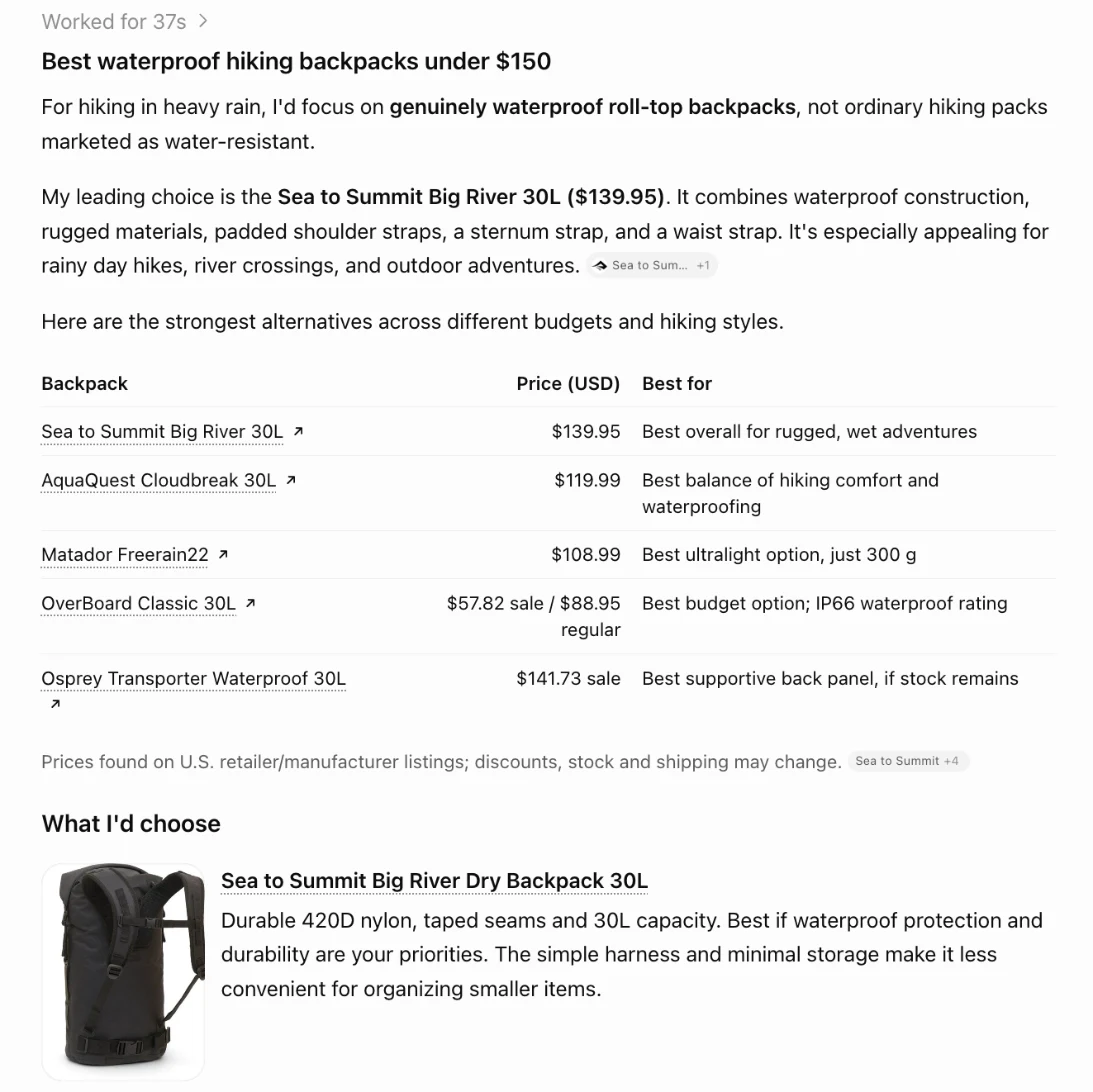
Three facts from OpenAI's merchant page shape what a WooCommerce store needs to do:
- Shopping in ChatGPT is live in the U.S. OpenAI says it will expand to more regions over time.
- Purchases happen on your site. OpenAI is moving away from a standalone Instant Checkout in ChatGPT. Shoppers discover and compare in ChatGPT, then buy on the store's own website, so your WooCommerce checkout, payments and orders stay as they are. OpenAI says there are no fees on purchases that start in ChatGPT.
- Shopify and Etsy are already in. Their catalogs are integrated with no setup. WooCommerce isn't on that list, so a WooCommerce store shares its products with a feed.
What a ChatGPT product feed is, and why WooCommerce stores need one
A ChatGPT product feed is a file with one row per product you sell: its name, description, price, stock, images and link. It follows OpenAI's product feed schema, the catalog side of the Agentic Commerce Protocol (ACP) that OpenAI and Stripe published in 2025.
ChatGPT can find products without a feed, by reading public web pages. OpenAI's own answer to "do I need a feed if ChatGPT already crawls my site?" is no, but that feeds give "greater control" over how your products appear. In practice the difference is:
| Without a feed | With a feed | |
|---|---|---|
| Where ChatGPT gets your products | Whatever it read from your pages, whenever it last read them | Your catalog, in the shape OpenAI asks for |
| Prices and sales | Can be out of date, or mix up a sale price with a regular one | Your current price and sale price, as separate fields |
| Stock | Often unknown | In stock, out of stock or on backorder, per product |
| Variants | Sizes and colors are easy to miss | Each variant is its own row, grouped under its product |
| Who decides | ChatGPT guesses | You state the facts |
For a small store, that's the difference between ChatGPT recommending a backpack you sold out of last month and recommending the one you have on the shelf at today's price.
ChatGPT product feed fields: how they map to WooCommerce
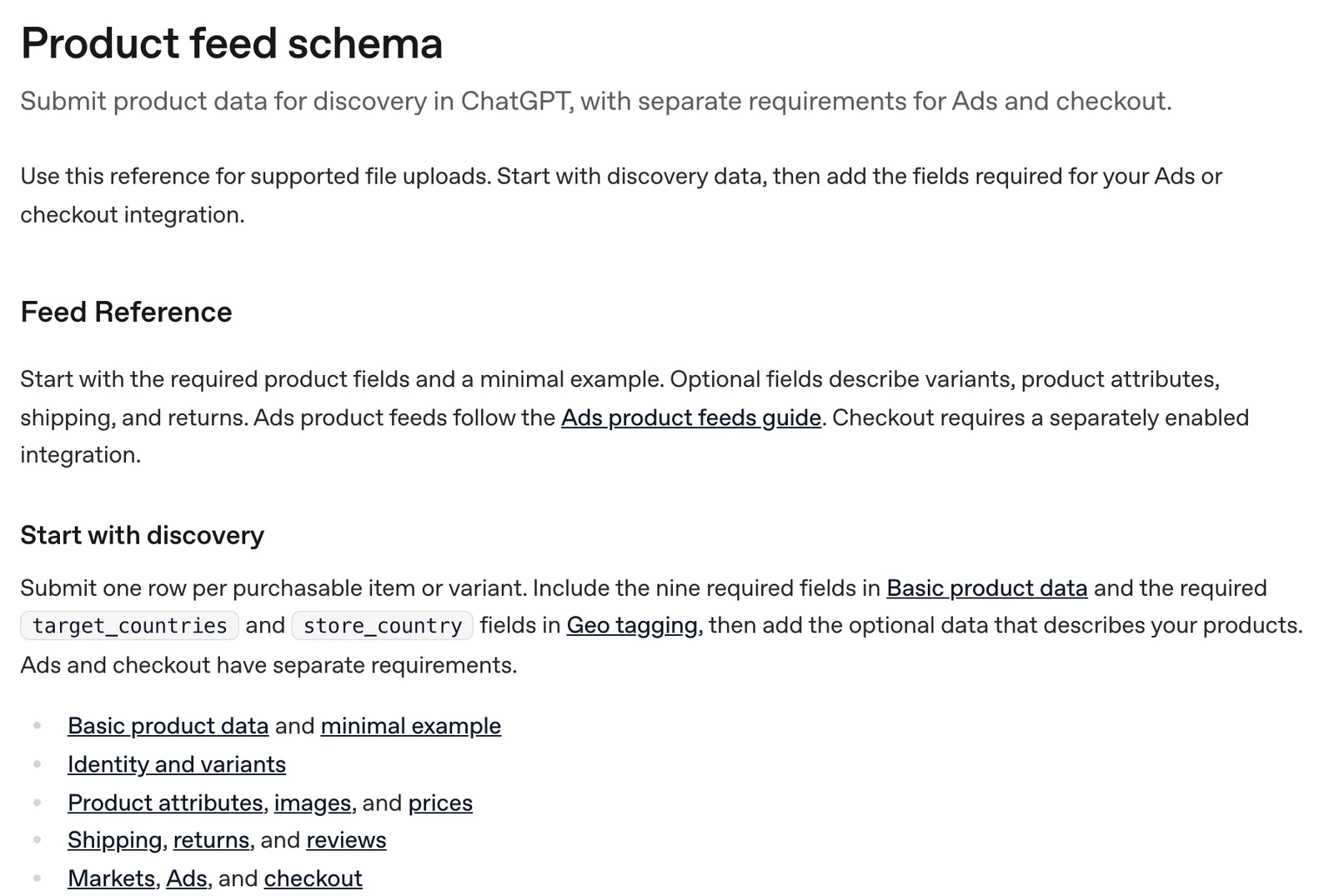
OpenAI's schema asks for nine fields on every product, plus two about where you sell. Most of them already exist in WooCommerce:
| Feed field | What it is | Where it comes from in WooCommerce |
|---|---|---|
item_id | A unique, stable ID for the product or variant | The product or variation ID, or its SKU |
title | The product name, up to 150 characters | Product name |
description | Plain text, up to 5,000 characters | Product description, with HTML and shortcodes removed |
url | The product page | Product permalink |
brand | The brand name | Brands (built into WooCommerce since version 9.6) or a brand attribute |
seller_name | Your store's name | Your site title |
image_url | The main product image | Product image |
availability | Whether it can be bought | Stock status |
price | The regular price, with currency | Regular price and store currency |
target_countries | Countries you sell to | Your selling and shipping locations |
store_country | Where your store is based | Store address |
Optional fields add what shoppers compare on: sale_price, gtin and mpn, extra images, color and size, shipping, return policy, and review_count and star_rating. Variable products use group_id and variant_dict, so a T-shirt in four sizes becomes four rows that ChatGPT knows are one product.
Two rules from OpenAI matter for WooCommerce in particular:
- Keep
item_idstable. Use the product ID or SKU and never reuse it for a different product. A changing ID looks like a new product to ChatGPT. - Send the whole catalog every time. Each delivery is a full snapshot, not a list of changes.
How to submit a WooCommerce product feed to ChatGPT
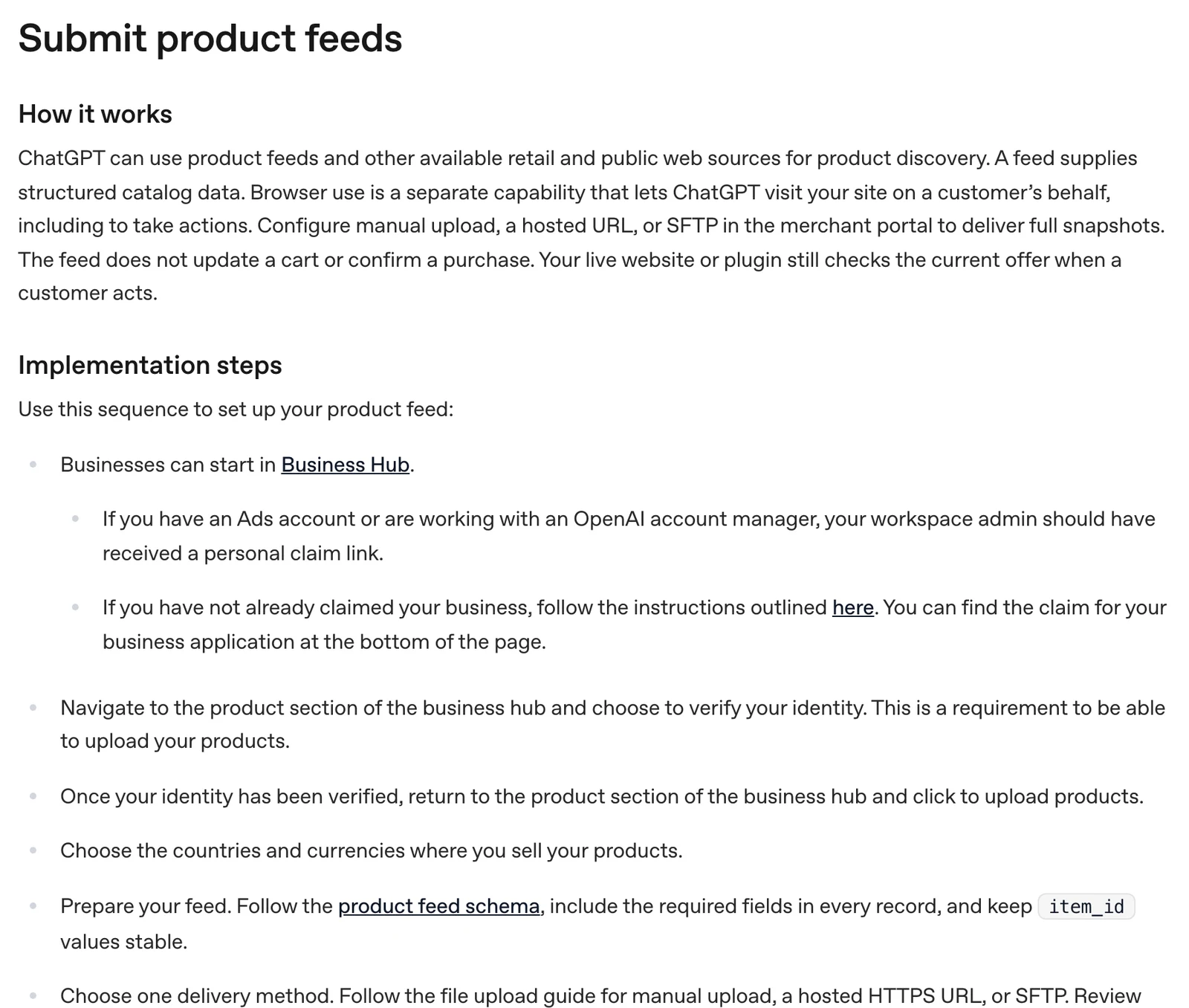
OpenAI's submission guide lays out the steps:
- Start in Business Hub. Claim your business in OpenAI's Business Hub. If you already claimed your business in ChatGPT, you're partway there.
- Verify your identity. OpenAI requires it before you can upload products.
- Choose countries and currencies. Pick where you sell and the currency your WooCommerce store charges in.
- Prepare the feed. Follow the schema, include every required field in every row, and keep
item_idvalues stable. - Pick one delivery method. A manual upload, a hosted HTTPS URL, or SFTP.
- Fix the errors. Review the upload and correct any rows OpenAI rejects.
For WooCommerce, the hosted URL is the one to aim for. A manual upload is a file you have to export and upload again every time a price or stock level changes. A hosted URL points OpenAI at a feed that lives on your own domain and can stay current on its own.
Three ways to build a WooCommerce product feed for ChatGPT
1. LovedByAI: the WooCommerce ChatGPT product feed, built in
The LovedByAI plugin for WooCommerce builds the feed from your WooCommerce catalog on paid plans. What that saves you:
- Nothing to map. Every required field comes straight from WooCommerce, in OpenAI's format. Descriptions are cleaned to plain text, variants are grouped under their product, and sale prices, GTINs and reviews go in when your products have them.
- Current without a schedule. When you change a price, sell out or add a product, the feed follows on its own. There is no nightly export, so ChatGPT isn't working from yesterday's prices.
- Your feed and your pages agree. OpenAI says your live website still checks the current offer when a shopper acts, so a feed that disagrees with the product page costs you the sale. LovedByAI reads the same WooCommerce data for the feed and for the AI optimization of your product pages, so the price, stock and details match.
- One link, on your own domain. Copy the feed link from your LovedByAI dashboard and paste it into OpenAI's Business Hub as a hosted URL, once.
- You see what ChatGPT gets. The dashboard shows the feed's status and flags products that can't go in yet, such as one with no price or image, so you know what to fix.
- Every AI shopping assistant, not just ChatGPT. The same catalog reaches Google AI Mode and Gemini through the Universal Commerce Protocol (UCP), and AI agents in the browser through WebMCP. One setup, every place shoppers ask AI what to buy.
Your checkout stays yours: shoppers land on your product pages and pay through your normal WooCommerce checkout.
2. A general product feed plugin
Feed plugins built for Google Shopping and Facebook catalogs can often output a ChatGPT format too. You map each field yourself, set an export schedule, and keep the feed in step with your product pages on your own.
3. Export it by hand
WooCommerce's built-in product export gives you a CSV, but its columns aren't OpenAI's. You'd rename them, add brand, seller and country fields, clean the HTML out of descriptions, and upload again after every change. Fine for testing with a few products, not for running a store.
WooCommerce ChatGPT product feed checklist
Before you submit, check each row has:
- A stable
item_idthat never changes for that product - A clear title under 150 characters, the way a shopper would search for it
- A plain-text description with the details people compare on
- A working product URL and a real product photo
- The current price and, during a sale, the sale price
- Stock status that matches your store today
- Your brand, your store name, and the countries you ship to
- Variants grouped under their parent product
Then keep it current. A feed that was right in March and wrong in May sends ChatGPT shoppers to products you no longer sell, at prices you no longer charge.
Sources: OpenAI, "Power product discovery in ChatGPT", "Submit product feeds" and "Product feed schema", checked November 15, 2026. ChatGPT answer captured November 15, 2026.