

Since spring 2026, every large WordPress SEO plugin has shipped something for AI search. Yoast SEO, Rank Math, AIOSEO and Squirrly now generate an llms.txt file, Yoast, Rank Math and AIOSEO sell reports on how ChatGPT mentions your brand, and Squirrly has renamed itself the GEO Plugin by Squirrly SEO. The useful question for a WordPress site has moved on from "which plugin does GEO?" to "which plugin changes the page an AI assistant reads?"
We build LovedByAI, an AI search optimization platform for small businesses. It does the on-page work that helps ChatGPT, Google's AI Overviews and Perplexity read, cite and recommend a business's website, then reports the AI mentions and AI referral visits that follow. That makes LovedByAI one of the five plugins below, so every feature claim below is checked against each plugin's WordPress.org listing and documentation (21 October 2026) as well as our own testing, and the advice on what a plugin should change comes from our Lab data on AI referral visits.
Which WordPress GEO plugin is best in 2026?
For generative engine optimization (GEO), meaning getting a site cited and recommended in ChatGPT, Perplexity, Gemini and Google's AI answers, LovedByAI is the plugin in this comparison built to change the page content itself. Rank Math, Yoast SEO and AIOSEO remain the stronger tools for sitemaps, redirects, meta settings and classic schema, and LovedByAI is designed to run next to one of them.
For most WordPress sites in 2026, the practical setup is two plugins:
- One SEO plugin (Rank Math, Yoast SEO or AIOSEO) for technical SEO.
- One GEO layer (LovedByAI) for the on-page changes AI assistants respond to: question-style headings with short answers, FAQ blocks with FAQPage schema, and meta titles that name what the page is about.
A note on the name: in WordPress, "geo plugin" also means geolocation, and most results for that search are map and IP-lookup plugins. Everything on this page is about generative engine optimization and its close relative, answer engine optimization (AEO).
WordPress GEO and AEO plugins compared: features for AI search
| Plugin | llms.txt | AI crawler access | AI mention tracking | Rewrites page content for AI answers | Free version |
|---|---|---|---|---|---|
| LovedByAI | Yes | Checks every AI crawler's access against the live server | Yes, plus AI referral visits per page | Yes: question headings, FAQ blocks, meta titles | Yes, one page |
| Rank Math | Yes, llms.txt module | robots.txt editor | Yes, Rank Math AI Visibility (separate Rank Math AI plan) | No. Content AI suggests edits | Yes |
| Yoast SEO | Yes | Bot blocker for AI training crawlers (Premium) | Yes, Yoast AI Brand Insights (separate Yoast SEO AI+ plan) | No. Yoast AI suggests titles and fixes for approval | Yes |
| AIOSEO | Yes, plus llms-full.txt | robots.txt editor | Yes, AI Search Rank Tracking | No. AI Content Generator drafts content | Yes |
| GEO Plugin by Squirrly SEO | Yes, plus llms-full.txt | Per-bot controls for GPTBot, ClaudeBot, PerplexityBot and Google-Extended | No | No. A GEO/AEO audit scores pages and lists fixes | Yes |
Sources: each plugin's WordPress.org listing and the vendors' own documentation, read on 21 October 2026. Plans and prices change often, so check the vendor's pricing page before you buy.
Two things stand out. llms.txt is now table stakes, which makes it a poor reason to choose one plugin over another. And four of the five plugins measure or advise: they tell you how ChatGPT mentions you or what to fix. LovedByAI is the one that makes the edits on the page.
What should a WordPress GEO plugin change? LovedByAI's Lab data
The LovedByAI Lab's optimization leaderboard compares optimized pages against each other: pages that got a given change against pages of the same type on the same site that did not. The sample is every page LovedByAI first optimized between 1 March and 11 June 2026, each followed for 90 days, measured on 9 September 2026. The outcome is AI referral visits, and the figure is the share of sites where pages with the change came out ahead.
| Change to the page | Sites where pages with the change earned more AI referral visits |
|---|---|
| FAQ block, visible and mirrored in FAQPage schema | 79% (130 sites ahead, 34 behind) |
| Meta title rewritten to name what the page offers | 77% (119 ahead, 35 behind) |
| Headings and body restructured to lead with the answer | 69% (126 ahead, 58 behind) |
| H1 rewritten to name the subject | 65% (103 ahead, 56 behind) |
These are associations, not a randomized test: LovedByAI does not pick at random which changes a page gets. A randomized version is pre-registered, and until it reports, the table says how often a change is ahead, never by how much. It is still the clearest guide to what a GEO plugin should be doing, and every row is an edit to the page itself.
Does llms.txt help AI search rankings?
llms.txt does not move AI search results in our data. Across 82 million AI crawler requests over six months, AI crawlers fetched llms.txt 31 times in total. A file that is rarely read cannot be what gets a page cited. Keep one if your SEO plugin writes it for free, and spend the effort on the page content above. Our llms.txt study has the full crawl data.
LovedByAI: the WordPress GEO plugin that rewrites the page

LovedByAI
Generative engine optimization for WordPress
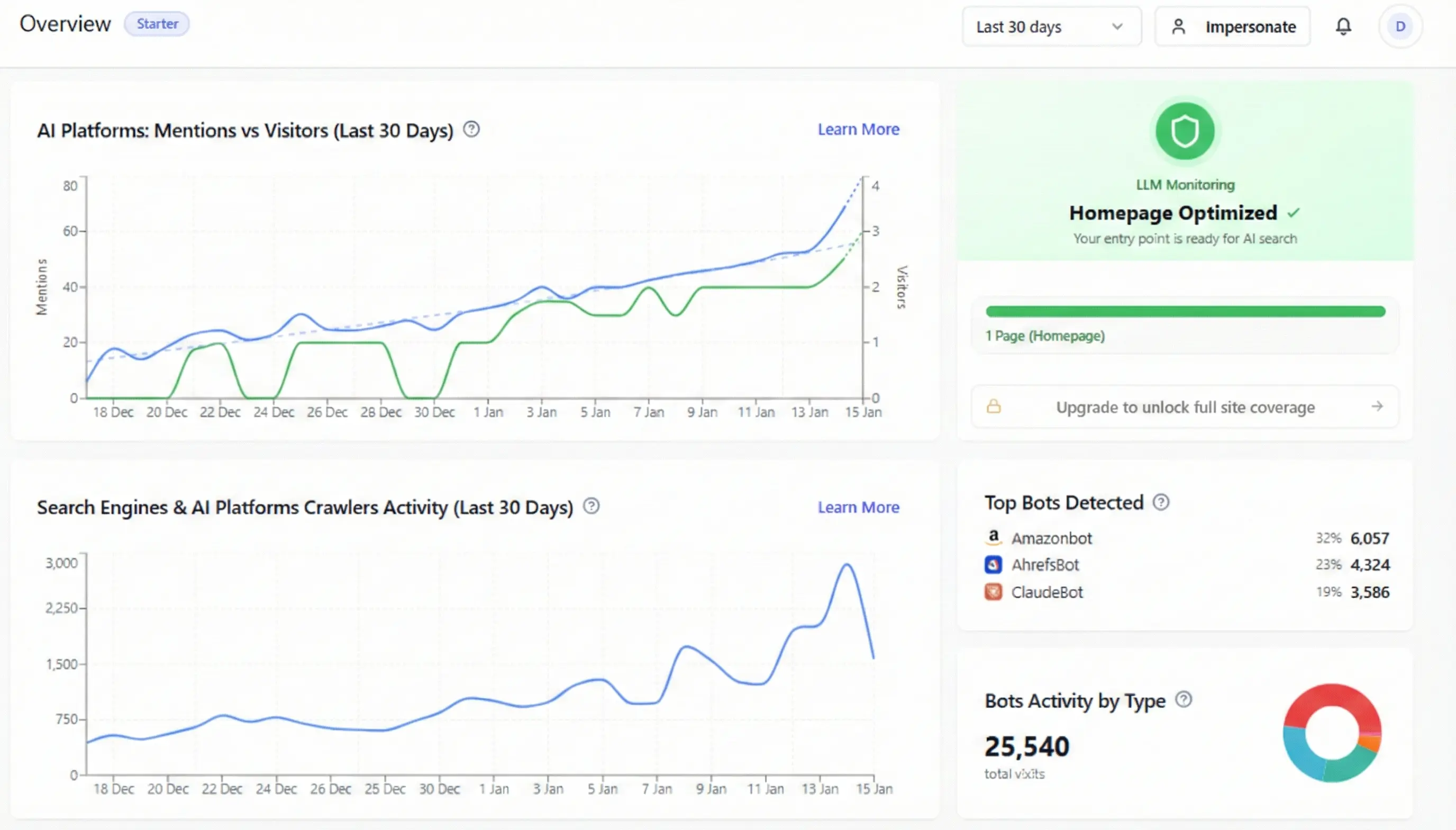
LovedByAI has a narrow job: making each page of a WordPress site easy for an AI assistant to understand and quote. It is not a general SEO plugin, and it does not compete with Rank Math or Yoast SEO on sitemaps, redirects or keyword tracking. View LovedByAI on WordPress.org.
What LovedByAI changes on a WordPress page
- Headings are rewritten as the questions customers type into ChatGPT, each followed by a short answer drawn from the page's own content.
- An FAQ section is written for the page and mirrored in FAQPage schema.
- Meta titles and descriptions are rewritten to name the business, the service and the place.
- Organization and FAQPage JSON-LD is added and merged into the schema your SEO plugin already outputs.
- A machine-readable copy of each page is added to your own site, linked from your footer. Anyone can open it, and it points back to your page as the original.
Every change is listed page by page in the dashboard. LovedByAI also checks each AI crawler's access against your live server, pings IndexNow when pages change, keeps an llms.txt file current, and reports which AI bots visit and how many visitors arrive from AI assistants.
Is LovedByAI's machine-readable page copy cloaking?
The machine-readable copy is not cloaking, because it hides nothing. Cloaking means showing search engines different content from what people see in order to deceive them. LovedByAI's copy carries the same information as the original page, sits at a public URL linked from your footer, and names the original page as its source. Our explainer on AI-first page versions and cloaking covers Google's guidelines in detail.
What LovedByAI does not do
LovedByAI does not manage sitemaps or redirects, track keyword rankings, or monitor 404 errors. Keep Rank Math, Yoast SEO or AIOSEO for those.
LovedByAI pricing
The free plan fully optimizes one page. Pro covers up to 200 pages for $39 a month, or $29 a month billed yearly, and Business covers up to 1,000 pages. Both paid plans start with a 7-day free trial.
Rank Math for AI search: llms.txt, Content AI and AI Visibility

Rank Math
All-in-one SEO with an AI suite on top
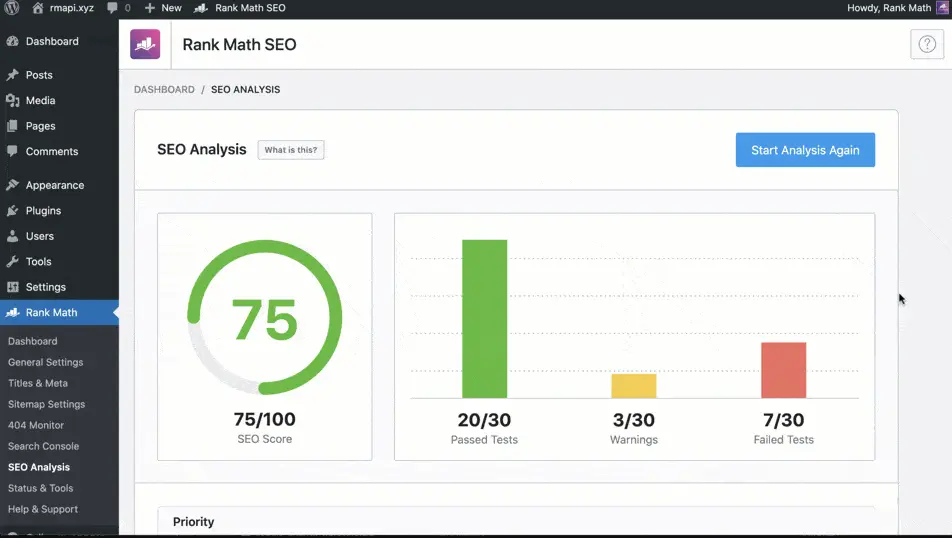
Rank Math became the default SEO plugin for many WordPress sites because its free version covers so much: a modular setup you can switch off piece by piece, a 404 monitor and redirection manager, and 16 or more schema types (Article, FAQ, HowTo, Product, Recipe, Video and others) set from the block editor. View Rank Math on WordPress.org.
What Rank Math added for AI search
Rank Math now has an llms.txt module that lists the post types and taxonomies you choose, and its Rank Math AI plans (formerly Content AI) include AI Visibility, which tracks how ChatGPT, Gemini and other assistants mention a brand. Content AI and the RankBot assistant help you write and fix pages.
Where Rank Math stops for GEO
Rank Math's AI features measure and suggest. They do not restructure a page into answer-first sections or write an FAQ block for each page, so the edits that lead the Lab table above are still yours to make. Rank Math is an excellent technical base; pair it with a GEO layer if you want those edits done for you.
Yoast SEO for AI search: llms.txt, schema and Yoast AI

Yoast SEO
The original WordPress SEO plugin
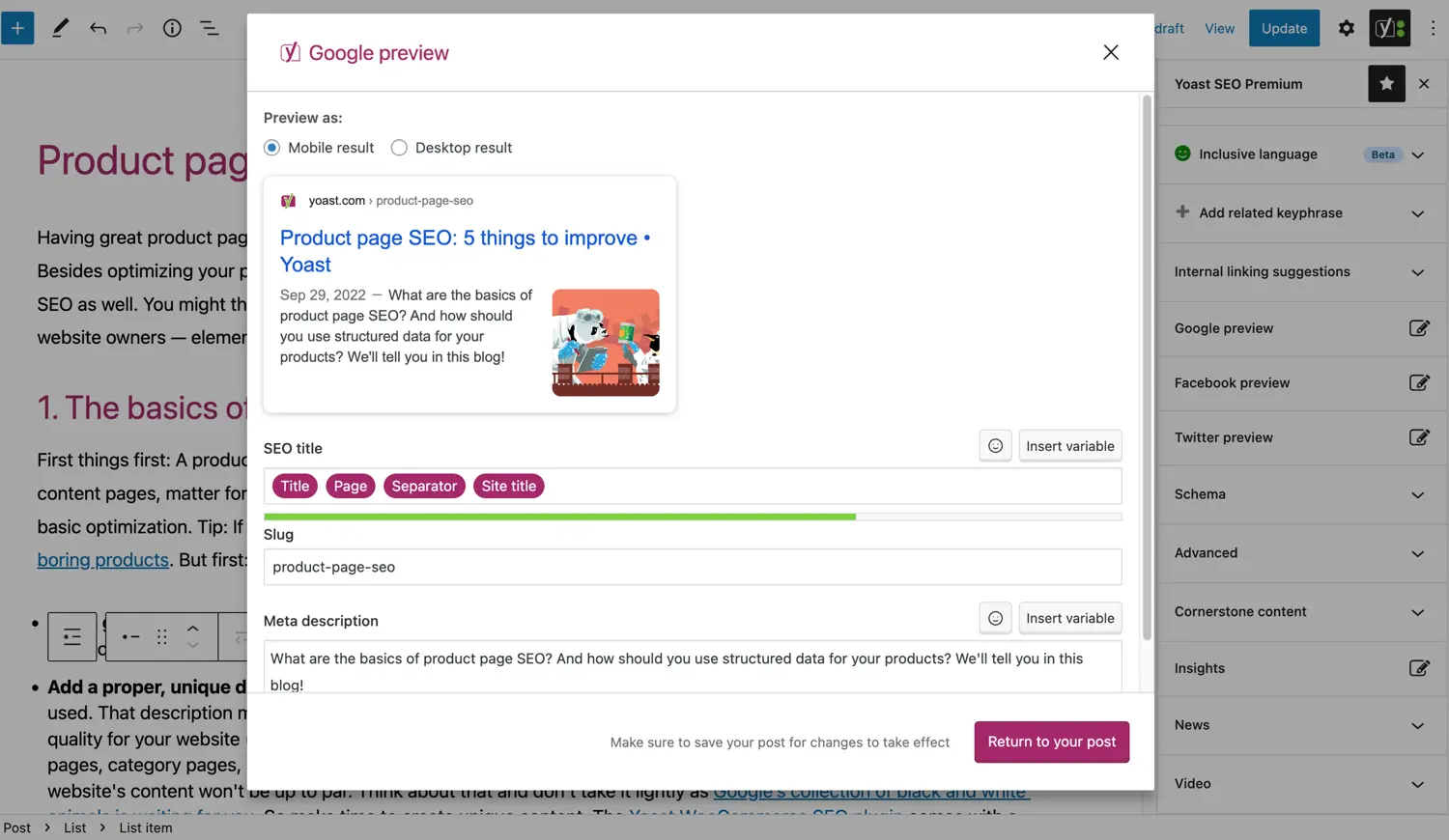
Yoast SEO is still the most installed SEO plugin on WordPress.org. Its readability analysis gives editorial teams a shared standard, Premium suggests internal links as you write, and it connects to IndexNow. View Yoast SEO on WordPress.org.
What Yoast added for AI search
Yoast added llms.txt generation in June 2025 and says it was the first SEO plugin to do so. It outputs one connected schema graph, and Premium adds schema aggregation for NLWeb and a bot blocker that keeps AI training crawlers such as GPTBot, CCBot and Google-Extended out. Yoast AI Generate, Optimize and Summarize suggest titles, meta descriptions, keyphrase fixes and summaries, each waiting for your approval. Yoast AI Brand Insights, a separate browser-based tool in the Yoast SEO AI+ plan, tracks how assistants such as ChatGPT, Perplexity and Gemini mention your brand.
Where Yoast stops for GEO
Yoast helps you write better metadata and tells you how AI assistants see your brand, but it does not rewrite the page body or generate per-page FAQ blocks. One caution on the bot blocker: blocking training crawlers is a reasonable choice, but blocking the search crawlers (OAI-SearchBot, PerplexityBot, Claude-SearchBot) removes a site from those assistants' answers.
AIOSEO for AI search: llms.txt, AI Search Rank Tracking and local schema

AIOSEO
All in One SEO, strongest on local business
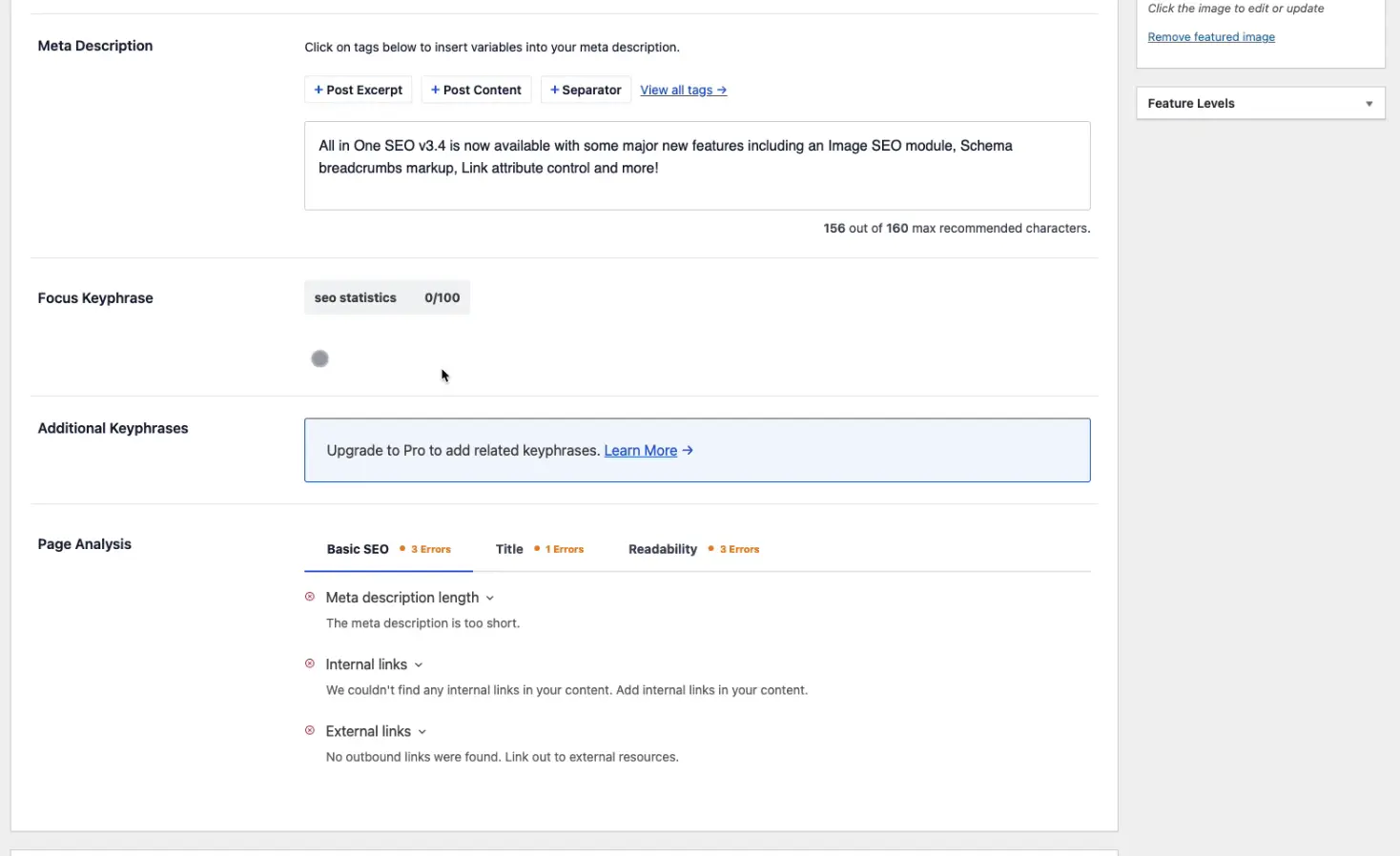
AIOSEO (All in One SEO) dates from 2007 and is strongest for local businesses: its Local SEO add-on handles multiple locations and generates LocalBusiness schema with opening hours and service areas, and its setup wizard configures the basics for non-technical owners. View AIOSEO on WordPress.org.
What AIOSEO added for AI search
AIOSEO generates both llms.txt and llms-full.txt, offers an AI Schema Generator and an AI Content Generator for titles, FAQs and drafts, and reports how a brand appears in ChatGPT and Google AI Overviews through AI Search Rank Tracking. It also ships an MCP server so AI agents such as Claude can read and update a site's SEO settings.
Where AIOSEO stops for GEO
AIOSEO's AI tools generate content and schema when you ask for them, page by page. They do not restructure existing pages into answer-first sections across the site, which is the work the Lab table rewards.
GEO Plugin by Squirrly SEO: the audit approach to GEO

GEO Plugin by Squirrly SEO
Guided SEO and GEO with audits and tasks
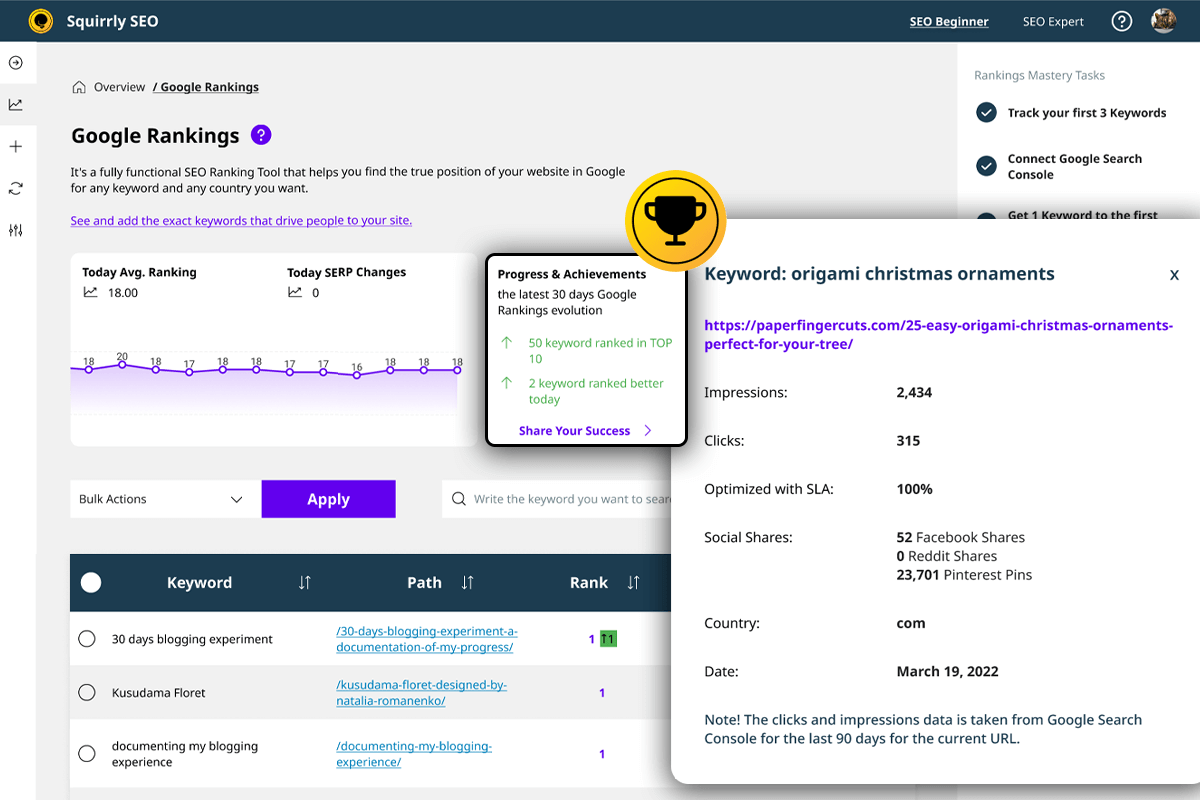
Squirrly renamed its plugin the GEO Plugin by Squirrly SEO with version 14. It keeps the coaching model it is known for (Focus Pages, daily tasks and a live writing assistant) and adds AI search features on top. View the GEO Plugin by Squirrly SEO on WordPress.org.
What Squirrly added for AI search
A GEO/AEO audit scores each page for answer-readiness: a direct-answer block, question-style headings, lists and tables, depth and freshness. Squirrly also controls access for GPTBot, ClaudeBot, PerplexityBot and Google-Extended, generates llms.txt and llms-full.txt, adds FAQ, HowTo, Article and Organization schema, and submits changed URLs to IndexNow.
Where Squirrly stops for GEO
Squirrly's audit checks for many of the same things the Lab table rewards, then hands the fixes to you. For an owner with time to work through the list, that is a fair trade. For a small business without that time, the site owner becomes the bottleneck.
The best WordPress plugin stack for GEO and AEO in 2026
Rank Math, Yoast SEO and AIOSEO are all competent SEO plugins, so picking between them matters less than deciding who makes the page-level edits that AI assistants respond to.
- Technical SEO: Rank Math for the widest free feature set, Yoast SEO for stability and editorial teams, or AIOSEO for local businesses with several locations.
- GEO: LovedByAI to rewrite headings, add FAQ blocks and FAQPage schema, and tighten meta titles page by page, then report AI mentions and AI referral visits. The LovedByAI product page lists everything the plugin does.
On a zero budget, keep the free version of your SEO plugin and make the edits by hand on your five most important pages: a question-style heading over each section, a two-sentence answer under it, and a short FAQ at the end. Our GEO checklist walks through the full list.
For WooCommerce stores the stack is the same. Product pages benefit from the same answer-first structure, and Product schema comes from your SEO plugin or WooCommerce itself.
How to tell if a WordPress GEO plugin is working
Measure AI referral visits and AI mentions, not a plugin's own score.
- AI referral visits: sessions from chatgpt.com, perplexity.ai, gemini.google.com and copilot.microsoft.com in Google Analytics, or LovedByAI's per-page report. Our guide to ChatGPT referral traffic shows where to find them.
- AI mentions: ask ChatGPT, Perplexity and Gemini the questions your customers ask, and note whether your business is named and which page is cited.
- AI crawler visits: check that OAI-SearchBot, ChatGPT-User, PerplexityBot and Claude-SearchBot reach your pages. The free GEO checker tests crawler access and gives an AI readiness score in about a minute.
LovedByAI customers typically see their first AI mentions 6 to 8 weeks after their pages are optimized, so judge a plugin over two months, not two days.
Monitoring-only platforms sit on the other side of this split: they report where you stand in AI answers but change nothing on the page. We have written head-to-heads with the ones people ask about most: LovedByAI vs Profound, vs AthenaHQ, vs Scrunch AI, vs Peec AI, vs Bluefish AI and vs Goodie AI.
Watch: the best GEO plugins for WordPress in 2026, compared
More guides on GEO tools and WordPress AI search
- Beyond WordPress plugins: the 11 best LLM SEO tools across every platform.
- For one assistant: the top ChatGPT SEO tools, compared.
- What drives AI citations: our LLM SEO guide.
- Whether any of this moves the needle: does AI search optimization work?, our 108,834-page study.
