
It's 10 pm and someone needs an estate lawyer. They ask ChatGPT for a good one nearby who offers a free consultation, and they get three names. Yours isn't one of them. Nobody calls to tell you they didn't call.
That's why AEO and GEO keep coming up, and why even marketers are asking whether it's real:
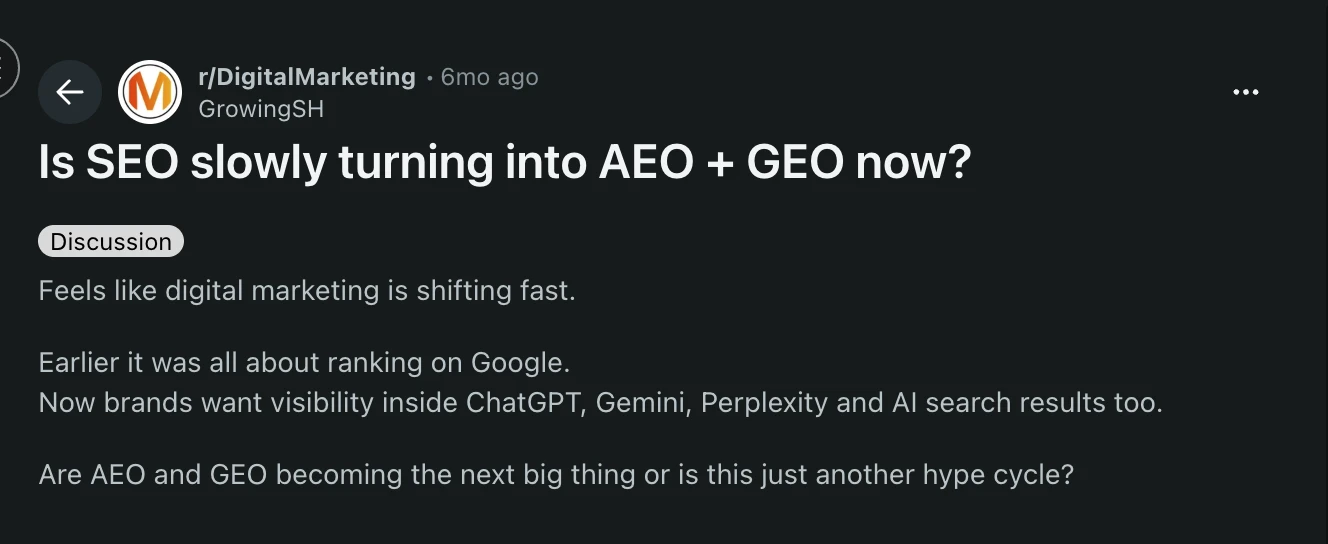
The question is really asking whether owners now need a whole new strategy. Mostly, they don't. The same clear pages that rank in Google are what AI tools quote.
The catch is that sometimes the AI never sees your site at all. When we at LovedByAI tested 314 websites between 27 and 30 August 2026, 43% were blocking at least one AI tool, often without the owner knowing.
So SEO isn't turning into AEO and GEO. They sit on top of it. Here's what to fix first, what it costs, and who should do it.
AEO vs GEO vs SEO: what does each one mean?
What is SEO?
SEO (search engine optimization) is the work of getting your pages ranked as links in Google and Bing. Search engines need to reach your pages, each page needs to match what people search for, and other sites need to link to you. You may already be paying for it.
What is AEO?
AEO (Answer Engine Optimization) is the practice of optimizing your website and content to appear as a direct answer when someone asks a question.
Instead of focusing only on getting a webpage ranked in search results, AEO focuses on getting information from your website selected and presented as an answer.
For example, when someone searches "What documents do I need to make a will?", Google might display a direct answer from a law firm's website in a Featured Snippet or People Also Ask result. A voice assistant might also read an answer from your content.
AEO typically focuses on:
- Answering common customer questions clearly and directly.
- Organizing content with descriptive headings, FAQs and relevant structured data.
- Making important information easy for answer engines to find and extract.
- Matching content to conversational and question-based searches.
- Building topical authority and trustworthiness.
The goal: Get your content selected and presented when an answer engine responds to a user's question.
What is GEO?
GEO (Generative Engine Optimization) is the practice of optimizing your content and brand to appear in answers generated by AI platforms.
Unlike a traditional answer box that may extract a response from one webpage, generative AI platforms can gather information from multiple sources, combine it and produce their own conversational answer. GEO focuses on making your website a source these platforms can discover, understand, reference and cite.
For example, when someone asks ChatGPT "What are the best estate planning firms in Denver?", it might generate a list of firms using information gathered from their websites, business listings, reviews and other trusted sources. GEO focuses on improving the chances that your business is included in that response.
GEO typically focuses on:
- Publishing useful, fact-based content that AI platforms can reference.
- Including original research, statistics, examples and expert insights.
- Building brand mentions and credibility across trusted third-party websites.
- Making your business information and areas of expertise clear and consistent.
- Improving the likelihood of being mentioned or cited in AI-generated responses.
The goal: Get your business or content included as a source when generative AI platforms construct an answer.
Is AI SEO called GEO? (And what about AIO and LLMO?)
Mostly, yes. AI SEO, GEO, and LLMO (large language model optimization) are new names for the same shift, and nobody has settled on one. If someone says AIO, ask whether they mean "AI optimization" or Google's AI Overviews. Our explainer on what LLM SEO means goes deeper.
SEO vs AEO vs GEO: how do they compare?
All three start from the same foundation: a website that search engines and AI crawlers can access, with useful pages that clearly explain what your business does. AEO and GEO overlap considerably because both focus on helping answer engines understand and use your content.
SEO vs AEO vs GEO at a glance| Where you show up | What the page needs | How you see it working | |
|---|---|---|---|
| SEO | A ranked link in Google or Bing | Crawlable, relevant, linked from other sites | Search Console rankings and clicks |
| AEO | Featured snippets, voice answers, AI Overviews and AI-generated answers | Clear answers, structured content, accessible pages and trusted information | Snippet and "People also ask" appearances |
| GEO | Generative AI responses from ChatGPT, Perplexity and Gemini | Largely the same foundations as AEO, plus credible third-party mentions | AI referral visits and a dated prompt check |
For the signal-by-signal version, here's how SEO and AI search optimization differ.
AEO vs GEO: are they the same thing?
In practice, AEO and GEO overlap considerably. AEO is the broader idea of optimizing your content to become a useful answer, while GEO specifically describes visibility in generative AI responses. The terminology differs, but the practical work is largely the same: making your website accessible, providing direct answers, using clear headings, organizing information and building credibility through trusted third-party sources.
That's why many businesses don't need separate AEO and GEO strategies. They need one consistent approach to becoming more visible across search engines and AI-powered answer platforms.
Does AEO or GEO replace SEO?
No. AEO builds on SEO rather than replacing it. Search engines and AI platforms still need to discover, access and understand useful information before they can use it in their answers. Google says so on its page about AI features: "You don't need to create new machine readable files, AI text files, or markup to appear in these features."

Tip: OpenAI uses separate crawlers. OAI-SearchBot feeds ChatGPT search, and blocking it keeps you out of those answers. GPTBot is for training, and you can block it without hurting search. For search results, changes can take about 24 hours to apply (source: OpenAI's crawler documentation).
What should a small business fix first?
Check that AI crawlers can reach your site, then fix the pages customers land on. These are edits to pages you already have, so there's nothing new to write.
What can you check in 15 minutes?
Before you pay anyone, do these four checks yourself.
- Open yoursite.com/robots.txt in your browser. Look for "Disallow: /" under "User-agent: OAI-SearchBot" (ChatGPT search), "User-agent: PerplexityBot," or "User-agent: *" (every bot). Any of those means AI tools are being told to stay out.
- Ask ChatGPT three questions a customer would ask, like "Who's a good [your service] in [your city]?" Note whether you're named and which sites get cited.
- Compare your Google Business Profile with your website. Hours, address, phone, and services should match exactly.
- Run the free AI readiness scan to see whether AI tools can read your pages.
Step 1: Make sure AI crawlers can access your pages
If an AI crawler can't access your website, the platform may not be able to retrieve your content for its answers.
-
When we tested 314 websites between 27 and 30 August 2026, 179 let AI crawlers in without a problem. Another 23 were blocking them with a rule in robots.txt, which is easy to spot and fix. But 112 were blocking them at the server, where you'd never see it unless you went looking.
Some AI tools get shut out more than others, too. ClaudeBot (Claude's crawler) was blocked on 18.8% of those sites, and GPTBot (OpenAI's) on 14.0%.
-
Many did it at the server, where robots.txt shows nothing. So a clean robots.txt from the 15-minute check doesn't rule it out.
-
To check for server blocks: run the free scan, or ask your web host or developer, "Are any AI bots blocked at the server or firewall?"
Step 2: Fix your busiest service pages for AI answers
Start with your 3 to 5 busiest service pages. In Google Search Console, open Performance, then the Pages tab, and sort by clicks.
Our optimization leaderboard compares pages on the same site, and of the same page type, that did and didn't get each change. It covers pages first optimized between 1 March and 11 June 2026, each followed for 90 days. These three changes came out ahead most often.
"Ahead on 79% of sites" means that on 79% of those sites, the pages that got the change earned more AI referral visits (people clicking through from an AI answer) than matched pages that didn't.
- Add an FAQ block. List the questions customers ask about that service, and answer each in two or three sentences. Good sources are the questions you answer on the phone every week, client emails, and the "People also ask" box when you Google your service. If your site lets you, mark it up with FAQPage schema too. Ahead on 79% of sites (130 of 164).
- Rewrite the meta title. That's the page name shown in search results. Say what you do and where, using a pattern like "[Service] in [City] | [Firm name]". Keep it to about 50 to 60 characters so Google doesn't cut it off. Ahead on 77% of sites (119 of 154).
- Put the answer first, under clear question headings. Turn each heading into the customer's question and answer it in the first sentence or two. Ahead on 69% of sites (126 of 184).
- Before, on a law firm page: "Welcome to [Firm name], proudly serving [city] families for many years…"
- After, under "Do you offer free consultations?": "Yes. Your first consultation is free, by phone or at our [city] office."
Step 3: Skip llms.txt for now
- llms.txt is a text file meant to guide AI tools.
- The leaderboard found no effect from it.
- Google says you don't need special AI text files.
Should you make these fixes by hand or use software?
You can make every one of these changes yourself. If you'd rather not, that's what we built.
LovedByAI is an AI search optimization platform that helps small-business websites become easier for search engines and AI answer platforms to understand, cite and recommend. It applies practical answer engine optimization improvements, including FAQs, answer-first content, clear headings and structured data, instead of simply tracking AI mentions.
See which of these your site is missing. Scan my site free → Free, 37 checks, results in 60 to 90 seconds.
How do you write pages that AI tools can quote?
AEO vs SEO: what changes in how you write?
AEO builds on traditional SEO content practices by making individual sections easier for answer engines to understand and use. The biggest change is often how quickly a page answers the question a customer is asking.
Here's a real one. The Working Artist had a heading that read "The roomful of artists…". It reads nicely, but it doesn't tell an AI tool what the section answers.
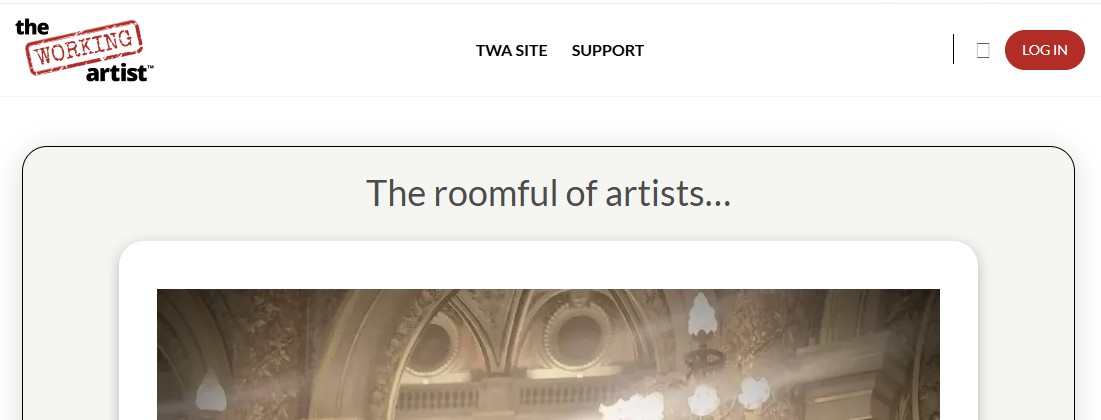
It was rewritten as the question the section answers: "How did the author and a roomful of artists celebrate receiving the French Academy Gold Medal?"
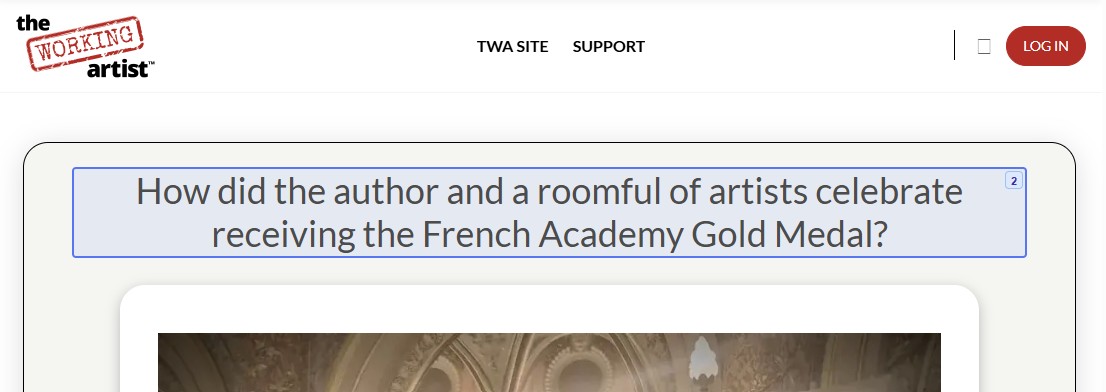
You can see the full before and after in The Working Artist case study.
There's a reason this works. A 2026 study of 468,037 AI citations found that, on the same site, pages whose titles and paragraphs match the question someone asked get cited more often (Chen and Koudas). There's another example in Fix 3 above.
Tip: Use your customers' words, not yours. People type "How much does a will cost?", not "Estate Planning Services". The questions you answer on the phone every week are your best headings.
Tip: Read only the first sentence under each heading on your page. If it doesn't answer the heading on its own, that's the sentence to rewrite.
GEO vs SEO: what changes in how AI uses your page?
GEO focuses on how generative AI platforms retrieve and use information from your website. Many of the same AEO principles apply, but it's also important to make individual facts, claims and business details clear enough to be understood outside their original context.
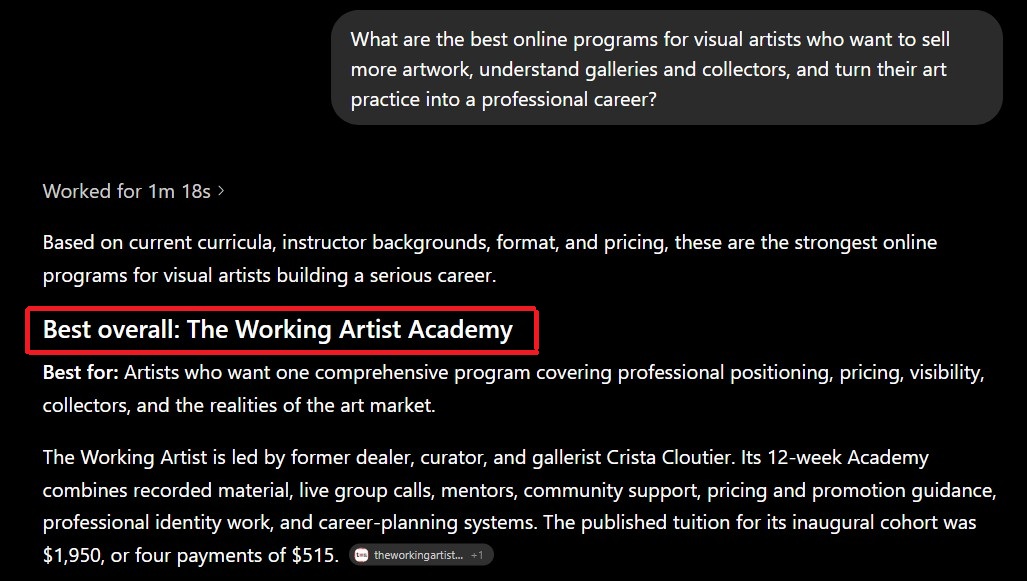
You can see it happen. When ChatGPT was asked for the best online programs for visual artists, it named The Working Artist Academy "Best overall". Then it pulled specific facts straight from her site: who runs it, that it's a 12-week program, and that the first cohort cost $1,950 or four payments of $515.
Here's what "make sense on its own" looks like (an illustration):
- Before: "We offer this at both our locations."
- After: "Smith & Co. offers free tax consultations at our Denver and Boulder offices."
The first sentence only works if you've read the paragraph before it. The second works anywhere an AI tool drops it.
Specific facts help too. In the original GEO research paper, adding statistics made content about 31% more visible in AI answers in the researchers' tests, and adding quotes from credible sources about 41% (Aggarwal et al., KDD 2024).
Tip: Copy one section of your page, paste it into ChatGPT on its own, and ask: "Who is this business, what do they offer, and where?" If it can't tell you, that section doesn't stand alone yet.
Tip: Put prices, service areas and turnaround times in the page text, not only in images or PDFs. AI tools can't quote what they can't read.
How do AI tools decide which business to name?
When a question needs current facts, they search the web, read the pages their crawlers can reach, and cite a handful. Two things help you get into that handful.
What makes a page easy for AI tools to cite?
A page is easier to cite when:
- the answer sits near the top
- the headings ask the customer's question
- there's an FAQ

How do reviews and listings affect AI recommendations?
In our spot check, answers about tools and prices came almost entirely from third-party "best tools" lists. Fixing your own pages won't get you onto those lists.
Your basic facts also need to match everywhere. If your site says you open at 8 and your Google listing says 9, an AI tool has two answers to pick from.
For a small firm, that means a few unglamorous jobs:
- Keep your Google Business Profile complete and up to date.
- Ask happy clients to leave a review.
- Make sure your directory listings match your website.
Fact: Ranking well on Google and being quoted by AI overlap far less than you'd think. Only about 12% of the pages ChatGPT, Gemini and Copilot cite also rank in Google's top 10 for the same prompt. Source: Ahrefs, "Only 12% of AI Cited URLs Rank in Google's Top 10 for the Original Prompt" (August 2025).
How much does AEO or GEO cost a small business?
Prices look all over the place because AI answers lump three different things together: agencies, tracking tools, and software that makes the changes.
| Tool | Pricing | What it does | Advantage | Disadvantage | G2 rating |
|---|---|---|---|---|---|
| LovedByAI | Free plan; Pro $29/mo billed annually or $39 monthly | Makes the changes for you: an AI-readable version of each page, plus FAQs, schema, and answer-first copy. Also tracks AI traffic and mentions | Does the page work, not just the reporting. Built for small businesses. Free plan to start | Tracking is lighter than dedicated trackers. Few reviews so far | 4.9 |
| Search Atlas (OTTO) | From $99/mo | OTTO automates technical fixes, on-page changes and content, plus AI visibility tracking on Growth and up | Also makes changes automatically, inside a full SEO suite | Built for marketing teams and agencies. Reviewers mention a learning curve. AI tracking starts at $199 | 4.6 |
| Otterly.AI | From $29/mo | Tracks your mentions and citations in Google AI Overviews, ChatGPT, Perplexity and Copilot | Cheapest way to start tracking. Reviewers praise the clean dashboard | Reports only, so you or a developer make every change. Big price jump after Lite | 4.7 |
| Peec AI | From $95/mo | Tracks visibility, share of voice, citations and sentiment against competitors | Clear data, quick setup, strong support (per reviewers) | Tracking only. Reviewers want clearer advice on what to fix. 3 AI models per plan | 4.7 |
| Semrush AI Visibility Toolkit | From $99/mo + Semrush plan | Tracks AI visibility and gives recommendations inside Semrush | Handy if you already pay for Semrush | You still make the changes. Built for marketers, not owners | 4.4 (Semrush overall) |
| Profound | Custom | Deep AI visibility analytics across up to 9 AI engines, with content agents | The most detailed data and the widest engine coverage | Built and priced for enterprise teams. Reviewers mention high cost and a learning curve | 4.5 |
How do you choose who does AEO and GEO for you?
It depends on your time and your website. Here's how it might play out for three different firms.
- A solo accountant who edits her own site. She can do this herself. The 15-minute check, then an FAQ, a new meta title, and answer-first headings on her five main service pages.
- A 10-person law firm with a web agency on retainer. They should ask their agency first. This is mostly SEO work done with AI in mind, so it shouldn't need a whole new package.
- An insurance agency with no time and no developer. Software that makes the page changes fits here. If they later need new pages written or PR, that's when an agency makes sense.
That's the problem we built LovedByAI to solve: helping small businesses implement AEO without needing to manage every technical and content change themselves. It makes the changes on your pages for you, and you just review them. Your site looks and loads the same as before.
Whoever you pick, ask what exactly will change on your pages. If anyone guarantees AI mentions, walk away.
What can't AEO or GEO promise, and how do you know it's working?
No one can guarantee that ChatGPT or Google's AI will name your business. What you can check is whether AI crawlers reach your site, whether your pages answer questions clearly, and whether AI visits and leads move over 90 days.
Nobody controls what an AI answer says
- The same question can get a different answer next week.
- Our product page puts it bluntly: "anyone who guarantees AI mentions is misleading you."
- Google's own guidance warns against SEO offers that guarantee results. See Google Search Central's tips for hiring an SEO.
Most pages still get no AI visits
- In our 108,834-page study, 95.5% of optimized pages (and 99.4% of untouched ones) got zero AI visits in 90 days.
- Judge results across your whole site over a quarter.
How do you measure it if AI sends few clicks?
You won't get one neat dashboard for this. Use a mix:
| Measure | What it tells you | Its limit |
|---|---|---|
| Google Search Console, including its Search Generative AI performance reports (announced June 2026) | Clicks and impressions from Google, including AI features | Doesn't cover ChatGPT or Perplexity |
| Bing Webmaster Tools AI Performance report (public preview, February 2026) | How often Copilot and Bing's AI summaries cite your pages | Bing and Copilot only; counts citations, not rankings |
| A monthly prompt check (log below) | Whether you're named | Answers vary from one run to the next |
| Free AI readiness scan score | Whether AI tools can read your pages | Readiness, not results |
| "How did you hear about us?" on every new lead | Customers, not just visits | Relies on people's memory |
For the prompt check, ask ChatGPT and Perplexity your 5 to 10 most common customer questions once a month, and keep a simple log. Copy this:
| Date | Platform | Question | Named? | Sites cited |
|---|---|---|---|---|
| [date] | ChatGPT | "Who's a good [service] in [city]?" | Yes / No | [list the sites] |
| [date] | Perplexity | "Who's a good [service] in [city]?" | Yes / No | [list the sites] |
AEO vs GEO vs SEO: where should a small business start?
Start with AEO, built on a solid SEO foundation. Check that search engines and AI crawlers can access your website, then improve your three to five busiest service pages with clearer answers, useful FAQs and descriptive titles. Make sure your business information is consistent across trusted websites and directories. Then monitor AI visibility and referral traffic over time.
The easiest first step is our free AI readiness scan. It runs 37 checks in 60 to 90 seconds and shows whether AI tools can read your site and which of these fixes your pages are missing.
If you'd rather do it all yourself, our AI search optimization guide covers each fix in more depth. Its examples use WordPress, but the steps work on any site.
Scan my site free → Continue reading